


Want to speak with sales?

Just as anglers use different baits and lures to catch fish, cybercriminals employ various tactics to hook unsuspecting victims. From precision spear phishing scams to whaling attacks that target C-suite executives, hackers have plenty of ways to land their prey.
Understanding these attack methods is crucial for building robust defences. But the best way to prepare your team is to show them what real phishing attempts look like.
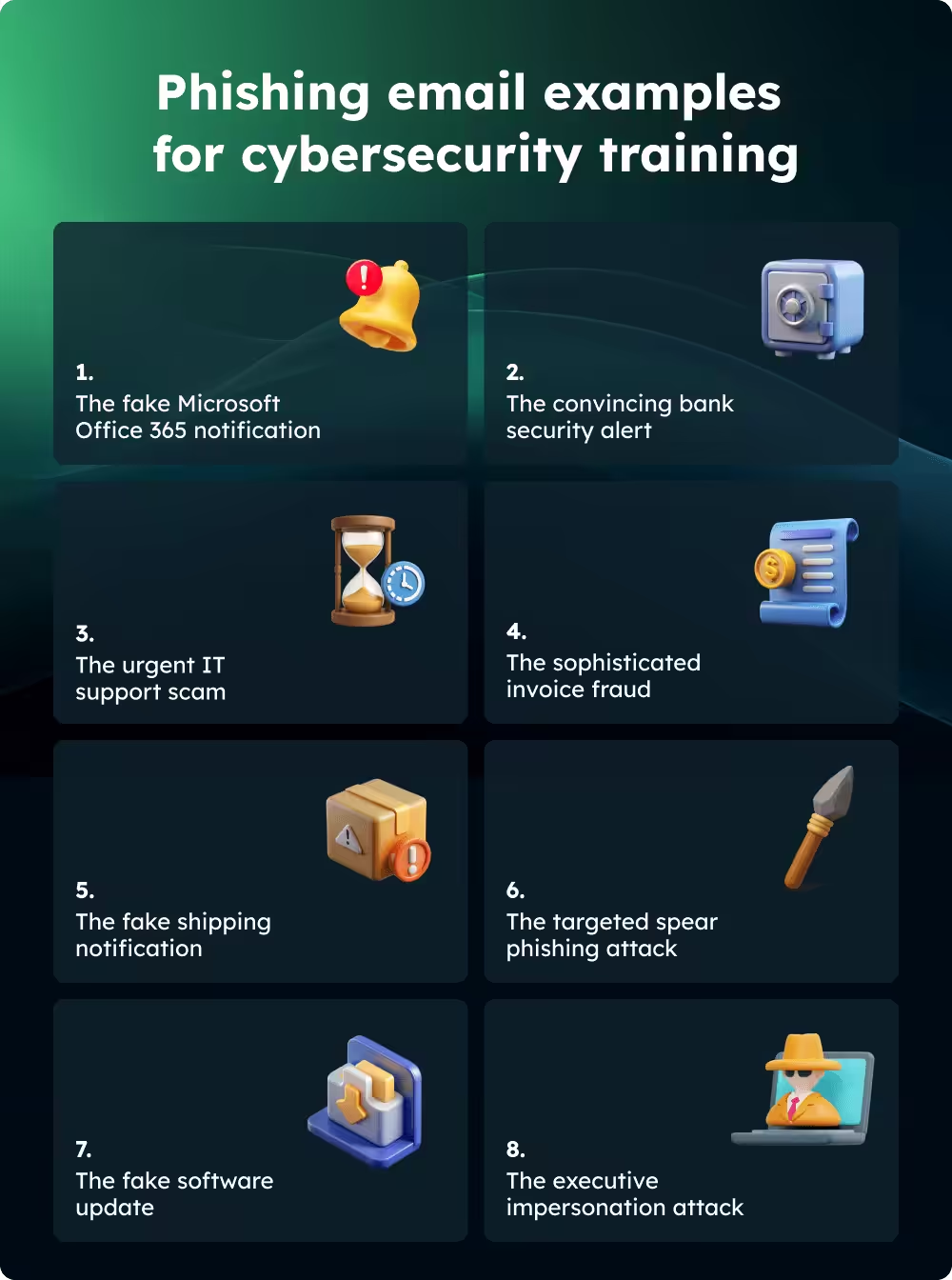
Not sure where to start? Try these eight examples:
- The fake Microsoft Office 365 notification
2. The convincing bank security alert
3. The urgent IT support scam
4. The sophisticated invoice fraud
5. The fake shipping notification
6. The targeted spear phishing attack
7. The fake software update
8. The executive impersonation attack
Why phishing attacks are getting harder to spot
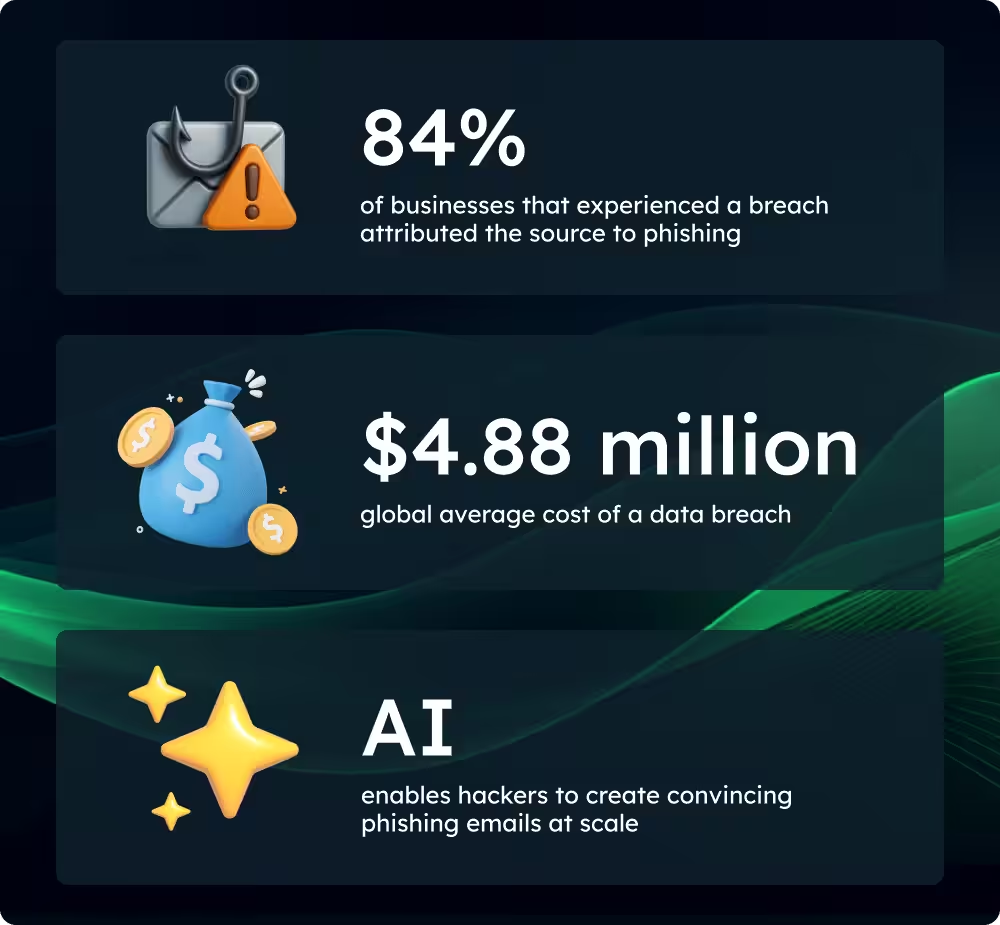
Phishing attacks are becoming more sophisticated and frequent. According to Ipsos’ Cybersecurity Breaches survey 2024, phishing affected 84% of businesses that experienced a breach in 2024.
The financial impact of these attacks is staggering. Researchers estimate the global average cost of a data breach at $4.88 million (approximately £3.9 million) due to:
- Reparation costs
- Disruption to business operations
- Reputational damage
- Regulatory fines
What makes phishing particularly dangerous today is how attackers use AI to create convincing emails at scale. The most sophisticated can be almost indistinguishable from legitimate communications – unless you know what to look for.
Phishing email examples for training your team
The most effective way to build your team's defences is through practical training that exposes them to real-world scenarios.
Incorporate the following phishing email examples into your cybersecurity training programmes to teach your team how to spot the signs of phishing attacks.
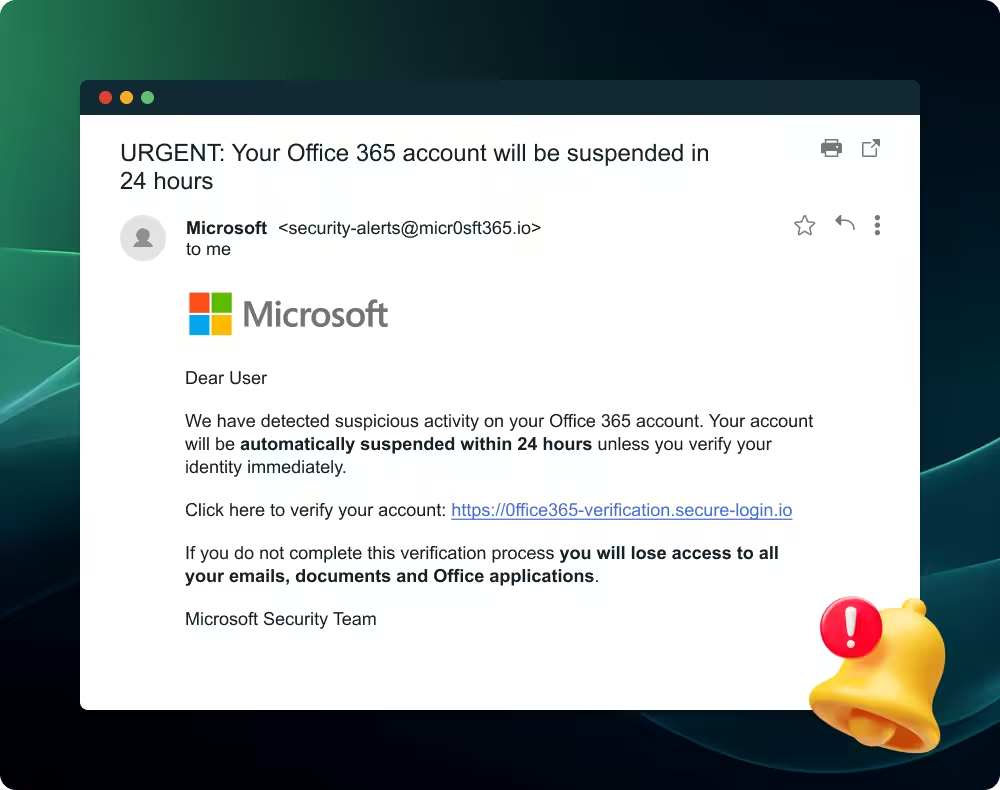
1. The fake Microsoft Office 365 notification
This attack claims your account will be suspended unless you verify your credentials immediately, creating a false sense of urgency. These messages include Microsoft branding and appear to come from a legitimate address.
- Urgent language, creating false time pressure
- Suspicious sender addresses with small errors that make them look similar to legitimate domains
- Links that don't match the claimed destination when you hover over them
Protection tip: Always navigate directly to the service provider's website rather than clicking links in suspicious emails.
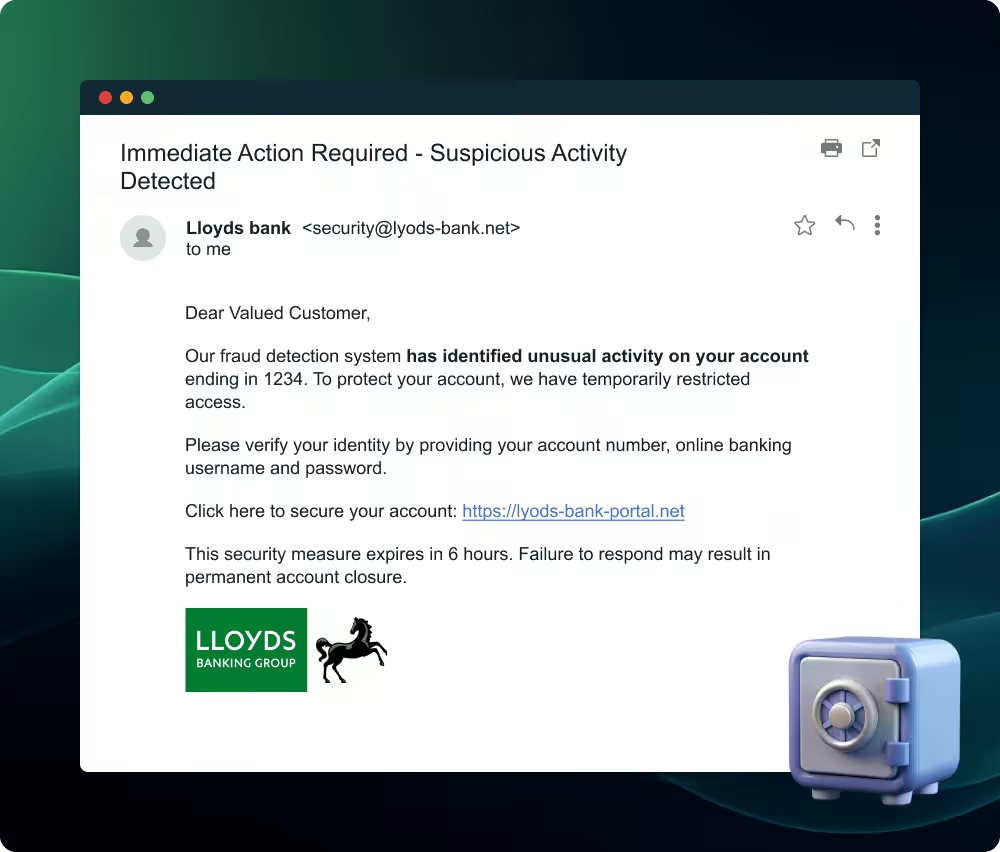
2. The convincing bank security alert
These sophisticated emails mimic legitimate bank communications, using official logos and formatting that closely match genuine correspondence. The messages warn of suspicious account activity and recommend immediate action to secure the account, with the aim of tricking finance team members into handing over sensitive data.
Warning signs:
- Requests for full login credentials or security codes
- Slight variations in the bank's web address or email domain
- Generic account references rather than specific account numbers
- Poor quality logos or formatting inconsistencies
Protection tip: Banks never ask for complete login details via email. Contact your bank directly using their official phone number if you receive a request that appears dubious.
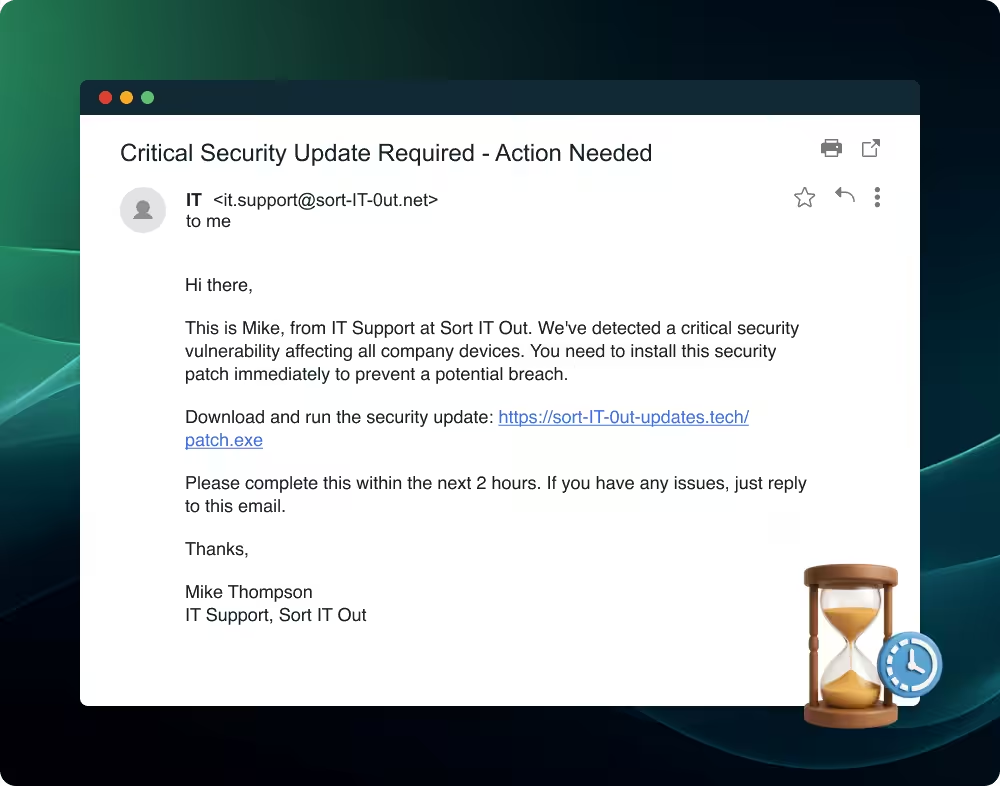
3. The urgent IT support scam
Similar to the bank security alert, these emails impersonate internal IT departments, claiming urgent security breaches or system failures that require immediate action. They create artificial time pressure, demanding employees bypass normal IT procedures to resolve the supposed issue.
Warning signs:
- Emails from external addresses claiming to be internal staff
- Requests to download unknown software or click on suspicious links
- Pressure to act immediately without following normal IT procedures
- Messages that don't match your IT team's usual communication style
Protection tip: Verify any urgent IT requests through established internal channels before acting.
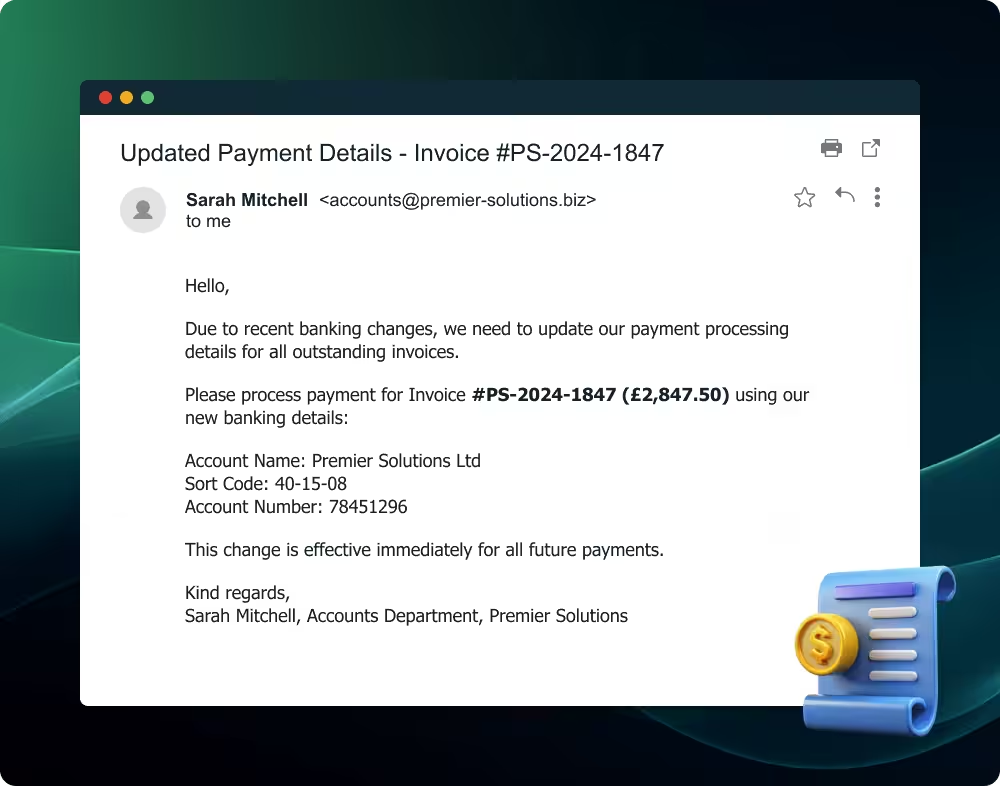
4. The sophisticated invoice fraud
In this type of attack, cybercriminals create professional invoices from familiar suppliers but change the payment details to direct funds to fraudulent accounts. The documents maintain authentic branding, formatting, and contact information to avoid suspicion.
Warning signs:
- Unexpected changes to established payment procedures
- Requests to update banking details via email
- Slight variations in company names or email addresses
- Invoices for services you didn't order or amounts that seem unusual
Protection tip: Always confirm banking detail changes through a separate, verified communication channel before processing payments.
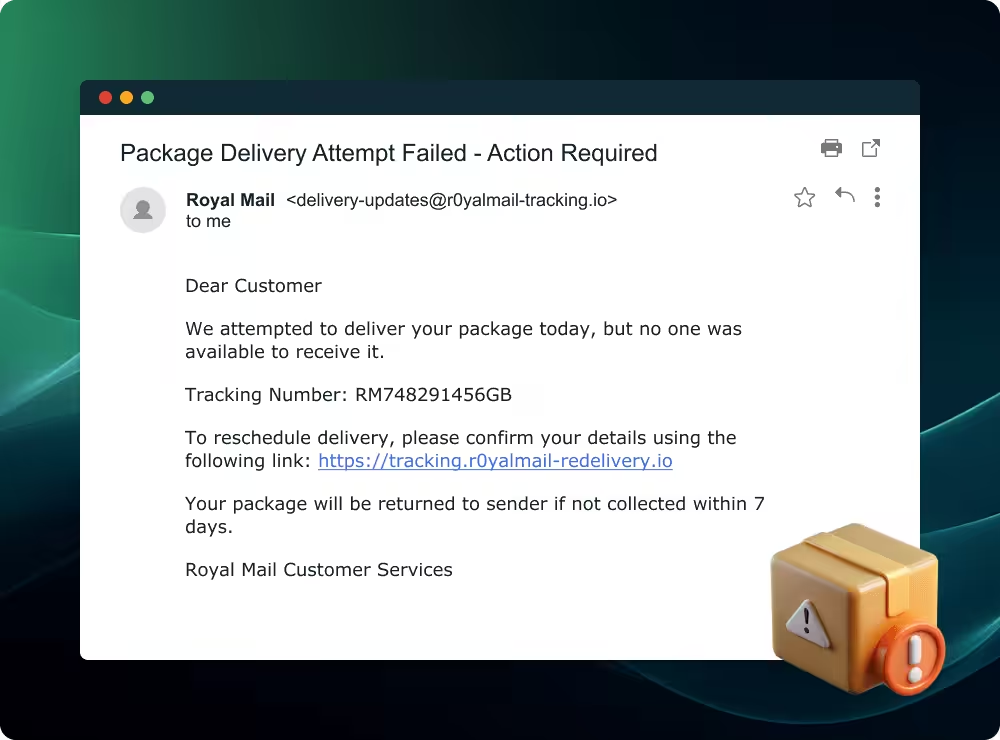
5. The fake shipping notification
Cybercriminals mimic legitimate courier company communications, claiming failed delivery attempts and asking you to reschedule using the supplied link. Attackers often target businesses that receive regular shipments or during peak delivery periods.
Warning signs:
- Notifications for packages you weren't expecting
- Links that don't lead to official courier websites
- Requests for personal information to "confirm delivery"
- Poor quality email formatting compared to genuine courier communications
Protection tip: Check with the courier directly using their official website or tracking system rather than clicking email links.
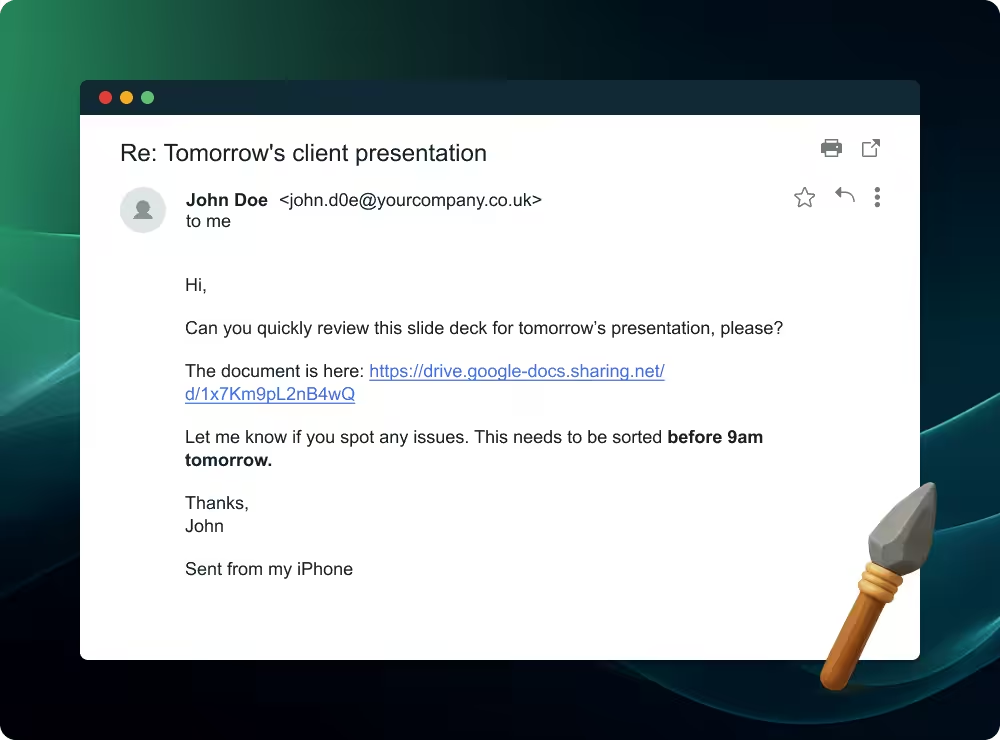
6. The targeted spear phishing attack
Spear phishing represents the most personalised form of email attack – with cybercriminals referencing specific projects, recent conversations, or company details – to build credibility. Attackers research their targets extensively, creating emails that appear to come from trusted colleagues, clients, or business partners.
Warning signs:
- Subtle changes in email addresses or display names
- Requests that seem out of character for the individual
- Messages sent at odd times or from unexpected locations
- Links or attachments you weren't expecting
Protection tip: When in doubt, verify requests through a different communication method, such as a phone call or face-to-face conversation.
7. The fake software update
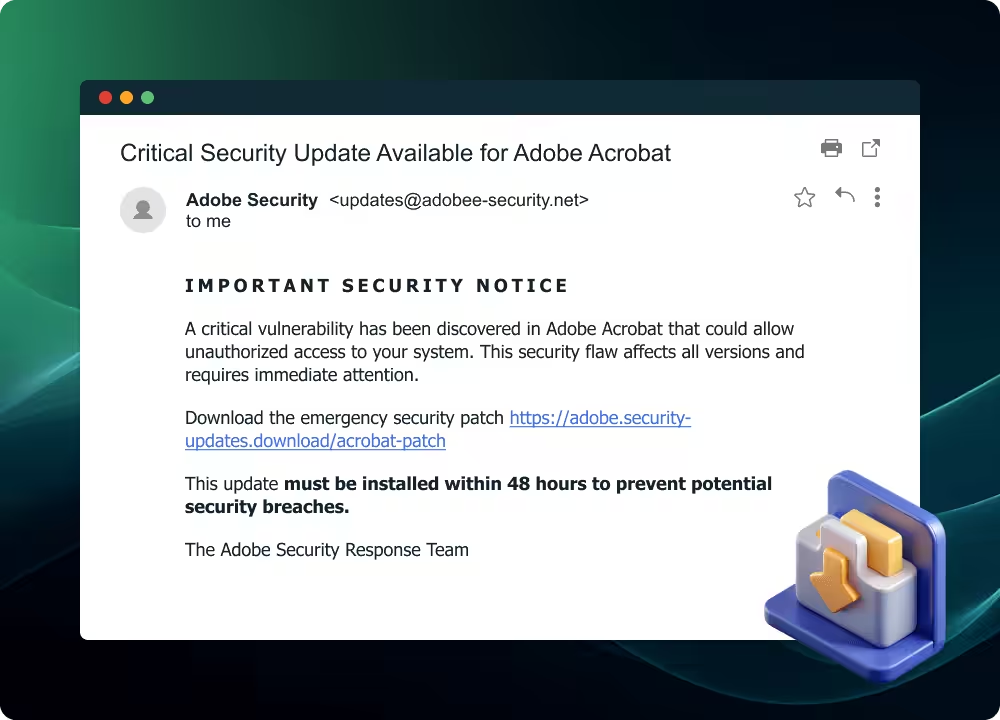
Fake software updates masquerade as legitimate notifications to trick users. For example, claiming that antivirus programmes, browsers, or business applications require urgent security patches. They include convenient download links that bypass official software update channels.
Warning signs:
- Update notifications via email rather than through the software itself
- Generic messaging that doesn't reference your specific software version
- Download links that don't lead to official software websites
- Urgent language suggesting immediate security risks
Protection tip: Always update software through official channels or your established IT procedures, never through email links.
8. The executive impersonation attack
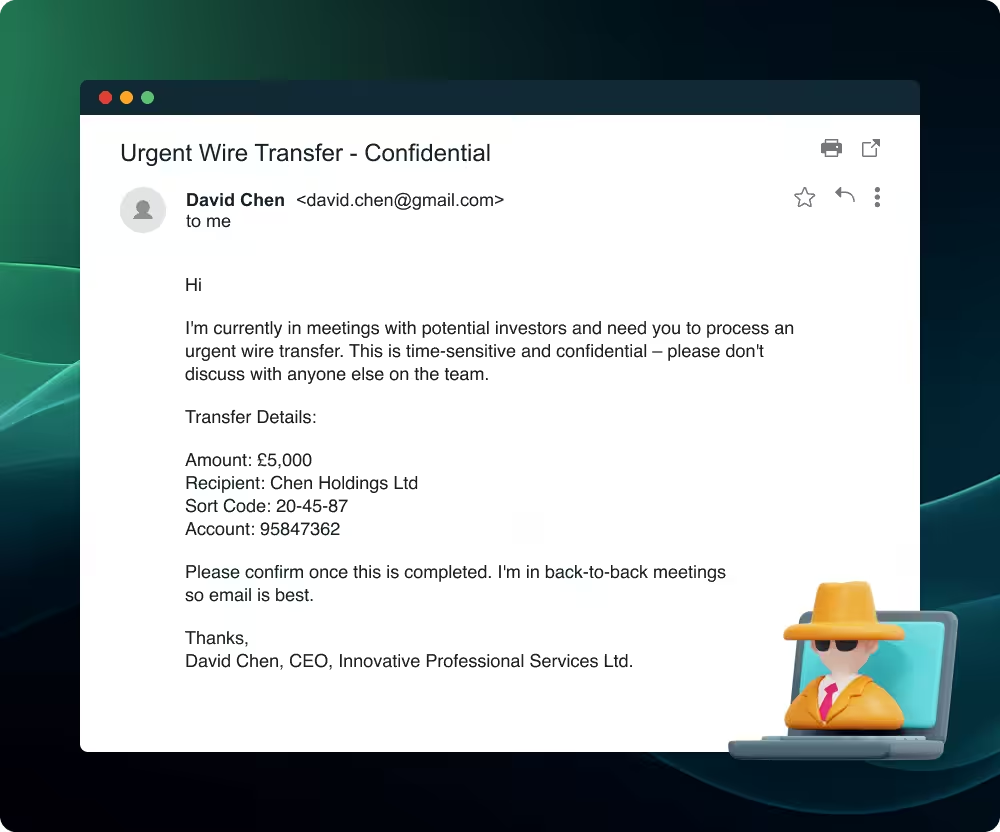
Executive impersonation attacks target employees by mimicking senior leadership, requesting urgent actions such as emergency payments or sharing confidential information. They exploit hierarchical business structures and employees' reluctance to question apparent authority figures, especially under time pressure.
Warning signs:
- Unusual requests that bypass normal approval processes
- Pressure to act quickly without following established procedures
- Email addresses that don't match the executive's usual contact details
- Tone or language that doesn't match the person's normal communication style
Protection tip: Implement clear verification procedures for high-value requests, especially those involving financial transactions or sensitive data.
Building stronger defences through practical training
The preparation you invest in today could be the difference between a close call and a costly breach.
Whether you’re trying to land the big catch or protect against cyber threats, there’s no substitute for practical experience. By incorporating these phishing mail examples into your training programmes, you’ll help your employees learn how to avoid falling victim to phishing attacks.
Want to go a step further? Consider using a phishing simulator, so you can test their newfound skills in a safe and controlled environment.
Want to give your people the skills to recognise cyber threats before they turn into breaches? Check out CyberSmart Learn, our cybersecurity focused learning management system.