8 phishing examples for training your employees

Just as anglers use different baits and lures to catch fish, cybercriminals employ various tactics to hook unsuspecting victims. From precision spear phishing scams to whaling attacks that target C-suite executives, hackers have plenty of ways to land their prey.

Understanding these attack methods is crucial for building robust defences. But the best way to prepare your team is to show them what real phishing attempts look like.

Not sure where to start? Try these eight examples:

  1. The fake Microsoft Office 365 notification

2. The convincing bank security alert

3. The urgent IT support scam

4. The sophisticated invoice fraud

5. The fake shipping notification

6. The targeted spear phishing attack

7. The fake software update

8. The executive impersonation attack

Why phishing attacks are getting harder to spot

Phishing attacks are becoming more sophisticated and frequent. According to Ipsos’ Cybersecurity Breaches survey 2024, phishing affected 84% of businesses that experienced a breach in 2024.

The financial impact of these attacks is staggering. Researchers estimate the global average cost of a data breach at $4.88 million (approximately £3.9 million) due to:

  • Reparation costs
  • Disruption to business operations
  • Reputational damage
  • Regulatory fines

What makes phishing particularly dangerous today is how attackers use AI to create convincing emails at scale. The most sophisticated can be almost indistinguishable from legitimate communications – unless you know what to look for.

Phishing email examples for training your team

The most effective way to build your team's defences is through practical training that exposes them to real-world scenarios. 

Incorporate the following phishing email examples into your cybersecurity training programmes to teach your team how to spot the signs of phishing attacks.

1. The fake Microsoft Office 365 notification

This attack claims your account will be suspended unless you verify your credentials immediately, creating a false sense of urgency. These messages include Microsoft branding and appear to come from a legitimate address.

  • Urgent language, creating false time pressure
  • Suspicious sender addresses with small errors that make them look similar to legitimate domains
  • Links that don't match the claimed destination when you hover over them

Protection tip: Always navigate directly to the service provider's website rather than clicking links in suspicious emails.

2. The convincing bank security alert

These sophisticated emails mimic legitimate bank communications, using official logos and formatting that closely match genuine correspondence. The messages warn of suspicious account activity and recommend immediate action to secure the account, with the aim of tricking finance team members into handing over sensitive data.

Warning signs:

  • Requests for full login credentials or security codes
  • Slight variations in the bank's web address or email domain
  • Generic account references rather than specific account numbers
  • Poor quality logos or formatting inconsistencies

Protection tip: Banks never ask for complete login details via email. Contact your bank directly using their official phone number if you receive a request that appears dubious.

3. The urgent IT support scam

Similar to the bank security alert, these emails impersonate internal IT departments, claiming urgent security breaches or system failures that require immediate action. They create artificial time pressure, demanding employees bypass normal IT procedures to resolve the supposed issue.

Warning signs:

  • Emails from external addresses claiming to be internal staff
  • Requests to download unknown software or click on suspicious links
  • Pressure to act immediately without following normal IT procedures
  • Messages that don't match your IT team's usual communication style

Protection tip: Verify any urgent IT requests through established internal channels before acting.

4. The sophisticated invoice fraud

In this type of attack, cybercriminals create professional invoices from familiar suppliers but change the payment details to direct funds to fraudulent accounts. The documents maintain authentic branding, formatting, and contact information to avoid suspicion.

Warning signs:

  • Unexpected changes to established payment procedures
  • Requests to update banking details via email
  • Slight variations in company names or email addresses
  • Invoices for services you didn't order or amounts that seem unusual

Protection tip: Always confirm banking detail changes through a separate, verified communication channel before processing payments.

5. The fake shipping notification

Cybercriminals mimic legitimate courier company communications, claiming failed delivery attempts and asking you to reschedule using the supplied link. Attackers often target businesses that receive regular shipments or during peak delivery periods.

Warning signs:

  • Notifications for packages you weren't expecting
  • Links that don't lead to official courier websites
  • Requests for personal information to "confirm delivery"
  • Poor quality email formatting compared to genuine courier communications

Protection tip: Check with the courier directly using their official website or tracking system rather than clicking email links.

6. The targeted spear phishing attack

Spear phishing represents the most personalised form of email attack – with cybercriminals referencing specific projects, recent conversations, or company details – to build credibility. Attackers research their targets extensively, creating emails that appear to come from trusted colleagues, clients, or business partners.

Warning signs:

  • Subtle changes in email addresses or display names
  • Requests that seem out of character for the individual
  • Messages sent at odd times or from unexpected locations
  • Links or attachments you weren't expecting

Protection tip: When in doubt, verify requests through a different communication method, such as a phone call or face-to-face conversation.

7. The fake software update

Fake software updates masquerade as legitimate notifications to trick users. For example, claiming that antivirus programmes, browsers, or business applications require urgent security patches. They include convenient download links that bypass official software update channels.

Warning signs:

  • Update notifications via email rather than through the software itself
  • Generic messaging that doesn't reference your specific software version
  • Download links that don't lead to official software websites
  • Urgent language suggesting immediate security risks

Protection tip: Always update software through official channels or your established IT procedures, never through email links.

8. The executive impersonation attack

Executive impersonation attacks target employees by mimicking senior leadership, requesting urgent actions such as emergency payments or sharing confidential information. They exploit hierarchical business structures and employees' reluctance to question apparent authority figures, especially under time pressure.

Warning signs:

  • Unusual requests that bypass normal approval processes
  • Pressure to act quickly without following established procedures
  • Email addresses that don't match the executive's usual contact details
  • Tone or language that doesn't match the person's normal communication style

Protection tip: Implement clear verification procedures for high-value requests, especially those involving financial transactions or sensitive data.

Building stronger defences through practical training

The preparation you invest in today could be the difference between a close call and a costly breach.

Whether you’re trying to land the big catch or protect against cyber threats, there’s no substitute for practical experience. By incorporating these phishing mail examples into your training programmes, you’ll help your employees learn how to avoid falling victim to phishing attacks.

Want to go a step further? Consider using a phishing simulator, so you can test their newfound skills in a safe and controlled environment.

Want to give your people the skills to recognise cyber threats before they turn into breaches? Check out CyberSmart Learn, our cybersecurity focused learning management system.

DCC vs CMMC: What’s the difference?

It almost goes without saying, but defence is one of the most vital sectors in any economy. That’s why in defence procurement, cybersecurity requirements are increasingly stringent on both sides of the Atlantic.

The UK and the US have distinct cyber frameworks for defence contractors. For the UK, it’s the Defence Cyber Protection Partnership (DCPP) with its Defence Cyber Certification (DCC). Meanwhile, for the US, it’s the Cybersecurity Maturity Model Certification (CMMC). In this blog, we’ll look at the differences between the two, including their structure, certification approaches and impact on defence contractors.

What is the DCPP?

DCPP is a joint UK Ministry of Defence (MOD) and industry scheme to strengthen supply chain resilience to cyber threats. Through its Defence Standard 05-138, it lays out the minimum cybersecurity controls defence suppliers need to achieve.

There are four levels to this, each with an increasing number of controls, covering areas like governance, technical measures, personnel, and supply chain risk. The levels are:

  • Level 0 (Basic, 3 controls)
  • Level 1 (Foundational, 101 controls)
  • Level 2 (Advanced, 139 controls)
  • Level 3 (Expert, 144 controls)

All MOD contracts undergo a cyber risk profile (CRP) assessment based on these levels. And, suppliers must demonstrate compliance with controls relevant to the profile to be considered for contracts.

How about CMMC?

CMMC shares many similarities with DCPP. Like the UK, the US has seen its share of attacks on its defence industrial base in recent years. Most notably, the 2025 ransomware attack on the National Defence Corporation and its subsidiary, AMTEC.

CMMC is the US Department of Defense’s (DoD) response to such incidents. The model also aims to enforce security for Federal Contract Information and Controlled Unclassified Information.

The standard has three levels, with each mapping onto a set of requirements:

Controls are grouped into 14 domains, including access control, configuration management, incident response, and media protection.

What does each certification approach look like?

DCC (UK)

Certification body

Managed by IASME, a UK government-appointed authority for cyber certification. DCC builds on Defence Standard 05-138 by applying a uniform, evidence-based certification process at the organisation level, not contract-by-contract. Certification is independently verified, rather than a self-assessment.

Process

Suppliers select and achieve certification for a relevant cyber risk profile, and present their completed DCC during the bidding process. Certification lasts three years, with mandatory annual check-ins.

You’ll also need at least a Cyber Essentials certification for every level, with levels 2 and 3 requiring a Cyber Essentials Plus certification too.

Scope

Certification covers your whole organisation and its processes, raising assurance and consistency across the defence supply chain.

CMMC (US)

Certification body

Assessments for Level 1 are self-attested. Level 2 requires third-party evaluation by a Certified Third-Party Assessment Organisation (C3PAO).  Meanwhile, Level 3 exams are run by the Defense Industrial Base Cybersecurity Assessment Center (DIBCAC).

Process

Contractors must pass all required controls at their level. However, there is some leeway depending on the level. For example, Level 2 allows limited gaps in its 110 controls. Whereas Level 3 is far stricter with no gaps permitted.

Scope

Unlike DCC, CMMC certification is “per environment or network” that handles Federal Contract Information or Controlled Unclassified Information and can also be contract-specific, meaning organisations may need to complete it multiple times.

Practical implications for suppliers

Coverage and applicability

DCC

Certification allows bidding on all MOD contracts up to that risk profile, making planning more predictable. Certification isn’t currently required for every contract, but this is expected to become universal soon.

CMMC

Until late 2026, requirements will be rolled out in phases, starting with high-priority contracts. By 2028, all DoD contracts will require CMMC certification matching the contract’s risk level.

Control counts and complexity

Costs and burden

DCC

UK costs depend on organisation size and CRP level. Full DCC certification is expected to be less expensive for SMEs compared to CMMC, with Cyber Essentials serving as the entry requirement in most cases. Costs scale up with evidence gathering, control implementation, and ongoing review.

CMMC

Estimates for compliance and certification vary. Small US contractors face costs of $30,000–150,000, rising to $500,000 or more for large enterprises. Delaying compliance can risk contract disqualification.

Assessment and renewal

DCC

The UK process is evidence-based and standardised. Certification bodies must be accredited and operate under IASME. All suppliers undergo annual check-ins and recertification every three years.

CMMC

Aside from Level 1, a third part will carry out your assessment. For example, C3PAO oversees Level 2, and the DoD itself tackles Level 3. Assessments are rigorous, requiring full documentation and audit evidence. What's more, failed controls require remediation and re-testing.

International alignment

Both schemes draw on international standards. DCC is built on NIST, ISO 27001, and Cyber Essentials. Meanwhile, CMMC is based purely on NIST SP 800-171 and 800-172.

The aim of both is to harmonise security expectations for global defence supply chains while retaining local regulatory control.

Practical guidance for suppliers: What should you do?

1. Start early

Both the UK and US frameworks require substantial evidence and preparation, so start early and don’t get caught cold. Cyber Essentials is the base for the UK, while an inventory and system security plan is the minimum in the US.

2. Know your contract’s risk profile

To get certified to the correct level, you need to know your contract’s risk profile. For example, if the UK contract you’re bidding for is considered high risk, you’ll likely need to comply with CMMC Level 2 or even 3.

3. Document everything

And we do mean everything. The controls associated with each level must be implemented, evidenced and easily auditable by assessors.

4. Budget for certification and maintenance

If you’re going to complete CMMC or DCC certification, you’ll need to budget for a few things beyond the list price. For instance, you’ll also need to factor in annual reviews, any remediation costs and the staff cyber awareness demanded by some controls (in the form of cybersecurity awareness training).

5. Leverage overlap (if you need to do both)

If you find yourself in the position where your organisation has to comply with both CMMC and DCC, there’s some good news. Controls in both frameworks do align in a few foundational areas, such as access management, incident response, and supply chain measures. This means that you don’t necessarily need to start from scratch each time if you’re a multi-national business.

DCC vs CMMC at a glance

Get ahead of the curve

In conclusion, if you’re a defence contractor that’s part of an MoD or DoD supply chain, you likely need to be thinking about DCC or CMMC. Both are going to become mandatory requirements for all defence sector contracts in the near future, so it pays to get ahead of the curve and begin planning now.

If you’re a small business struggling with DCC Level 0 or Level 1 requirements, CyberSmart can help you. We offer specialised cybersecurity packages, designed to help small businesses fulfil DCC criteria. Find out more here.

What is NIS2?

If you’re an EU-based business or a UK organisation with clients or partners in Europe, you may need to comply with NIS2. But what is NIS2? How do you know if it applies to your business? And how do you go about complying with it?

According to research, many businesses are ‘unsure’ of the answer to these questions. So, to help your organisation avoid being one of them, here’s everything you need to know.

What is it?

NIS2 is the updated Network and Information Security Directive introduced by the European Union to strengthen cybersecurity across its member states. It builds on the original 2016 NIS Directive by expanding its scope to include more sectors. These sectors include public administration, digital service providers (DSPs), space, and waste management.

NIS2 mandates stricter cybersecurity risk management, supply chain security, incident reporting within 24 hours, and holds company leadership accountable for cybersecurity measures. The directive also enhances cooperation between EU countries and introduces tougher penalties for non-compliance.

What is the goal of NIS2?

Barely a week goes by without some news of an attack or attempt on critical national infrastructure (CNI) and services. Indeed, there are a few things more likely to keep policymakers up at night. For example, think of the chaos caused by the Colonial Pipeline cyber attack in the US or the 2017 WannaCry attack’s impact on the NHS.

NIS2 is the European Union’s attempt to counter potentially devastating CNI attacks. It’s designed to improve resilience against a broad range of cybersecurity threats and develop a unified EU-wide approach to protect critical infrastructure and services.

What does NIS2 include?

NIS2 has a number of key focus areas, each of which contributes to an organisation’s cyber resilience in the face of attack. The areas are: 

  • Incident handling
  • Supply chain risk
  • Policies on risk analysis and information security
  • Business continuity and crisis management
  • Security in systems acquisition, development, and maintenance
  • Policies to assess the effectiveness of measures
  • Basic cyber hygiene practices and training
  • Cryptography and encryption
  • Secure communications
  • Human resources security, asset management, and access control policies
  • Use of multi-factor authentication (MFA)

Is NIS2 mandatory?

For EU member states, yes. NIS2 is an EU directive, which means that member states were required to transpose it into their national laws by no later than the 17th October 2024. However, even non-EU states like the UK are enacting similar legislation. For example, the UK’s Cyber Security and Resilience Bill, currently passing through parliament, is likely to be very similar in content to NIS2.  

But what about businesses?

Well, the directive targets two types of organisation or ‘entities’, to use the legalese. These are ‘Essential Entities’ and ‘Important Entities’, and they span a wide range of sectors. For example, energy, transport, banking, health, digital infrastructure, public administration, and space are all defined as ‘essential’. Meanwhile, manufacturing, food, postal services and digital providers are all defined as ‘important’.

There's also a question of size. NIS2 really only covers medium and large enterprises in the listed sectors. Micro and small enterprises (fewer than 50 staff and more than €10 million turnover) are generally exempt unless they operate in certain high-criticality areas.

What are the consequences of non-compliance with NIS2?

Unlike previous legislation, which was perhaps a little softer on non-compliance, NIS2 comes with pretty stringent penalties.

Financial

NIS2 comes with some real financial clout. Authorities can impose fines for non-compliance of up to €10,000,000 or 2% of global annual turnover for "essential entities," and up to €7,000,000 or 1.4% of global annual turnover for "important entities.”

Administrative sanctions

NIS2 also gives national authorities the power to apply administrative sanctions such as mandatory audits, operational bans, and restrictions on the ability to provide services.

Personal liability for senior management

Perhaps most worryingly for business leaders, senior management may face personal liability for non-compliance. This could lead to disqualification from executive roles, civil lawsuits, and even criminal prosecution if major negligence is involved.

GDPR implications

We’ve yet to see this play out in the real world, but some legal professionals believe that non-compliance with NIS2 could also be considered a breach under GDPR. If this is the case, further penalties and legal consequences could apply. 

All in all, failing to comply with NIS2 is a big risk. EU legislators have learned lessons from previous, poorly adopted regulations and frameworks and, due to the potential seriousness of CNI breaches, have clearly decided the stick is more likely to motivate organisations.

How do you know if your business is in scope for NIS2?

Checking whether you need to comply with NIS2 is a relatively simple process. The following checklist should help you determine whether it applies to your organisation.

1. Identify your sector

Check if your organisation falls under any NIS2-defined essential or important sectors. For example, hospitals and utilities are essential, whereas digital services and certain manufacturers may be important.

2. Check the size thresholds

Confirm if your organisation exceeds the micro and small size exemption. If you have more than 50 employees or turnover greater than €10m, NIS2 likely applies (unless explicitly exempted by sector rules).

3. Review exceptions or special cases

Some organisations are in scope regardless of size, such as certain critical providers. Also, if a more specific sector law applies, it might override NIS2 for your case. For example, financial institutions may fall under the Digital Operational Resilience Act (DORA) instead of NIS2.

4. Check your non-EU business isn’t in scope

It’s also important to note that if your business works with EU organisations, you’ll likely need to comply with NIS2, even if you’re based outside the union. For instance, many UK companies with EU clients, partners, or suppliers fall within its scope.

What does NIS2 mean for MSPs?

Quite a lot. NIS2 specifically refers to managed service providers (MSPs) as one of the entities:

“Providing services related to the installation, management, operation or maintenance of ICT products, networks, infrastructure, applications or any other network and information systems, via assistance or active administration, carried out either on customers’ premises or remotely.”

Again, you’ll need to run through the industry, size and location criteria to determine whether your organisation applies. However, most large EU MSPs are going to find themselves in scope, along with those in the UK that work across borders. If you’re unsure, we recommend reading this excellent summary of applicability.

An opportunity as well as an obligation

However, while many MSPs need to comply with NIS2, it isn’t just an obligation. It’s also an opportunity.

In the UK alone, a fifth of businesses are unsure whether NIS2 applies to them. And, 10% of organisations that are in scope admit to non-compliance. Meanwhile, while compliance has generally been a little better across the EU, many businesses remain confused.

For MSPs who’ve been through their own journey to NIS2 compliance, this is a golden opportunity to offer clients a service. Much the same as they do for Cyber Essentials and other frameworks, clients are going to look to MSPs to help them navigate NIS2 and maintain compliance. After all, who better than MSPs who’ve been through the process and are well-equipped to provide guidance?

How can your organisation comply with NIS2?

If you’re unsure about where to start with NIS2 compliance, remember you’re not alone. 

At CyberSmart, we offer a structured, scalable route to achieving and maintaining NIS2 compliance. We’ll help you identify any gaps through our auditing process, provide a compliance report with actionable recommendations, and help you obtain and maintain NIS2 compliance. 

Check out our NIS2 maturity pathway to find out more.


15 types of phishing attacks and how to protect your business

Phishing attacks are nothing new. But the tactics cybercriminals use? They're evolving faster than ever. Every day, an estimated 3.4 billion phishing emails are sent across the globe, many of them targeting UK businesses. The good news? Once you understand the different types of phishing attacks, you can spot the warning signs and stop them.

15 of the most popular types of phishing attacks include:

1. Email phishing
2. Spear phishing
3. Whaling
4. Vishing
5. Smishing
6. Quishing
7. “Note to self” phishing
8. SVG phishing
9. Pharming
10. Angle phishing
11. Evil twin phishing
12. Clone phishing
13. Watering hole phishing
14. Search engine phishing
15. Bulk phishing

1. Email phishing

Email is the most common type of phishing attack. Phishing emails often come from addresses that look official but are just slightly off. For example, support@micros0ft.com. While poor grammar was once a giveaway, modern phishing emails are well-written and seemingly credible.

2. Spear phishing

Spear phishing targets specific individuals based on their job title or recent company activity. Attackers research their victims through company websites, LinkedIn, and other social media platforms, using personal insights to make their messages appear legitimate. 

Red flags to watch for:

  • Unusual requests – if the requests come from within your company asking for credentials above their pay grade, message the individual directly using another communication channel for confirmation
  • Slight changes in email addresses or domain

3. Whaling

Also called whale phishing, this tactic zeroes in on executives and high-level decision-makers – the “big fish.” The stakes are higher here, so attackers go to greater lengths, even using AI-generated deepfake video or voice impersonation to deceive their targets. 

In one case, a finance employee was tricked into transferring $25 million after fraudsters used deepfake technology to impersonate the company's CFO and colleagues in a video conference. 

 Common whaling tactics include: 

  • Impersonating executives or board members
  • Creating fake acquisition or legal scenarios
  • Timing attacks when executives are travelling or busy
  • Using insider knowledge gleaned from social media or public statements

To defend against these high-stakes attacks, establish internal checks and approval processes for large transactions, and train executives to spot the hallmarks of phishing.

4. Vishing

Vishing is short for voice phishing and occurs when cybercriminals use phone calls or voice messages to get victims to reveal sensitive information. There was a 442% rise in vishing in 2024, making it clear that this type of phishing is one to look (or should we say listen?)  out for. 

The best defence? 

  • Never give sensitive information over the phone to unsolicited callers
  • Hang up and call back on an official number
  • Be suspicious of urgent requests or threats

5. Smishing

Smishing uses SMS messages to lure victims into clicking on a malicious link. A common smishing pretext is receiving a message from your bank alerting you to suspicious activity.

Other popular smishing campaigns claim that:

  • A package is waiting for collection
  • Your bank account has been compromised
  • You've won a prize or a refund
  • A payment has failed

Early in 2025, U.S. residents were targeted with fake text messages claiming to be from toll road operators like EZPass. The messages warned recipients about unpaid tolls, fines, or potential loss of their driver’s license, urging them to pay online. The scams were driven by an advanced phishing kit sold in China that allows scammers to spoof toll agencies across various states.

6. Quishing

Quishing or QR code phishing is when cybercriminals use QR codes to get victims to download malware or visit fraudulent websites. They often slip these codes into emails, posters, or public spaces.

Because QR codes are hard to inspect before scanning, many victims don’t realise they’re being phished until it’s too late.Only scan QR codes from trusted sources, and always check the URL after scanning before entering any information.

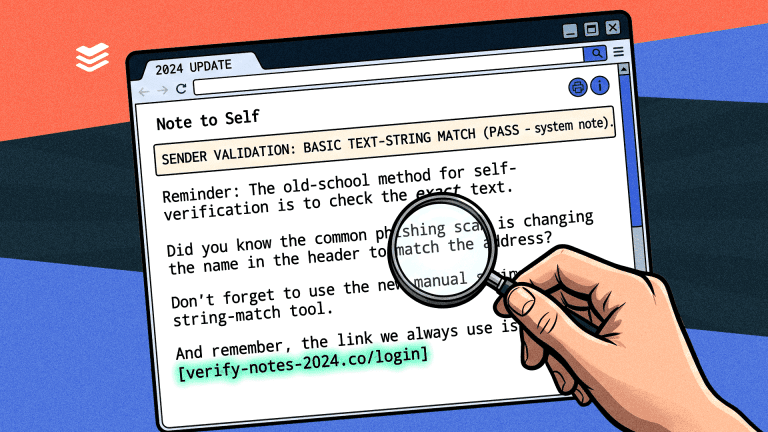
7. “Note to self” phishing

You receive an email from… yourself. But it’s not a friendly reminder. It’s a message from a cybercriminal telling you they’ve hacked your account and have compromising information. They then demand ransom, usually in the form of cryptocurrency. 

That’s what happens in “Note to self” phishing. It’s deeply unsettling, but it’s important to remember that cybercriminals don’t actually have your credentials or any compromising material; they’re just bluffing. 

What to do:

  • Don't panic
  • Don't pay
  • Change your passwords 
  • Mark it as spam and delete it

8. SVG phishing

SVG phishing refers to using scalable vector graphics (SVG) files in phishing attacks. SVGs are image files, but hackers embed them with JavaScript that contains malicious code. 

Since many security systems don’t scan SVGs as thoroughly as PDFs or Office documents, these files often slip through.To protect your business, block or restrict SVG attachments unless necessary, and make sure endpoint security solutions can analyse embedded scripts.

9. Pharming

Sometimes referred to as “phishing without a lure”, pharming is when cybercriminals redirect users to fake, lookalike websites to steal sensitive information. Rather than using social engineering, attackers use technical means like exploiting DNS server vulnerabilities to trick victims. 

Your defence:

  • Keep your devices and browsers updated
  • Use reliable DNS servers
  • Look for HTTPS and valid security certificates
  • Install reputable antivirus software with real-time protection

10. Angler phishing

Angler phishing exploits customer frustration on social media. Scammers monitor complaints directed at companies (especially banks or service providers), then swoop in posing as helpful support reps.

They use fake profiles, unofficial links, and friendly language to get victims to “verify” account info – only to steal it.

Watch out for:

  • Customer service accounts without verification badges
  • Requests to move conversations to private messages
  • Links to non-official websites
  • Requests for passwords or account details

11. Evil twin phishing

Cybercriminals set up fake Wi-Fi access points imitating legitimate ones. Once victims connect, the hackers have access to their internet activity and, by extension, sensitive information, such as login details and personal data. 

Evil twin phishing is common in place spaces like train stations, shopping malls, and airports. 

Here’s how to protect yourself: 

  • Use a VPN if you have to use public Wi-Fi
  • Disable the auto-connect function on your devices

12. Clone phishing

Clone phishing is a difficult-to-spot cyberattack because cybercriminals take a legitimate email that a user has already received and clone it. The only change they make is replacing the original links with malicious ones. 

Precautions you can take: 

  • Hover over links before clicking to verify the URL 
  • If you receive a duplicate or out-of-place email, contact the sender directly to confirm the email's authenticity 
  • Keep antivirus and anti-phishing tools updated so they detect malicious emails and attachments.

13. Watering hole phishing

Watering hole phishing occurs when hackers compromise a website that’s frequented by a specific group of people. For example, employees of a company, government officials, and members of a particular industry. 

Once the site is infected with malware, anyone who visits it may unknowingly download malware, giving attackers access to sensitive systems or data.

Tips for safe browsing: 

  • Keep all software and browsers up to date to close known security vulnerabilities.
  • Use reputable antivirus and anti-malware tools to detect and block threats.

14. Search engine phishing

Also known as SEO poisoning, search engine phishing is when cybercriminals create malicious websites and use SEO techniques to make the sites appear high in search results for popular or trending keywords. Since most users tend to click on the top few results, this increases the chances that users will visit these harmful sites.

When you click on one of these poisoned links, you might be: 

  • Tricked into entering personal information like login credentials, credit card details, or other sensitive data.
  • Infected with malware or ransomware if the site automatically downloads malicious software.
  • Redirected to other phishing or scam sites that continue the attack chain.

15. Bulk phishing

Bulk phishing is when attackers send a large number of generic phishing emails to many people at once. They’re usually the easiest to spot as they use simple, non-personalised messages to trick recipients into clicking malicious links or giving away personal info. Attackers rely on volume, hoping some victims will fall for the scam.

Key features of bulk phishing:

  • Mass distribution: attackers send thousands of identical or very similar phishing emails.
  • Generic content: the messages usually contain general, non-personalised language like “Your account has been compromised” or “Click here to verify your information.”
  • Goal: to trick recipients into clicking malicious links, downloading malware, or submitting login or financial info on fake websites.

Knowledge is your best defence

These 15 types of phishing attacks show just how diverse and dangerous the threat landscape has become. Phishing isn't going away, but with a diligent approach to cybersecurity and the right tools, your business won’t be an easy catch.

Want to give your people the skills to recognise cyber threats before they turn into breaches? Check out CyberSmart Learn, our cybersecurity focused learning management system.

What is vishing in cybersecurity, and how can you protect your business?
We’ve all heard of phishing, but what is vishing in cybersecurity? It’s short for voice phishing and is a type of social engineering attack where cybercriminals use phone calls, voicemails and voice messages to trick people into divulging sensitive information. 

It might sound like the sort of thing only the elderly would fall for, but with the rise of AI, it’s an increasing threat and one that you can’t afford to ignore.

Understanding vishing in cybersecurity

Vishing weaponises something we instinctively trust – human conversation. While most of us have learned to spot suspicious emails – the typos, the urgent demands, the dubious sender addresses – phone calls bypass these defences entirely. A confident voice claiming to represent your bank, IT department, or tax authority taps directly into our tendency to trust spoken communication.

This psychological advantage helps explain why vishing attacks rose by 442% in the second half of 2024.

How AI’s transforming vishing

Although vishing is a type of phone scam, it’s far more sophisticated than someone phoning to say you’ve won a prize in a competition you never entered, but have to pay taxes and registration fees to claim it. 

Today, cybercriminals are automating vishing campaigns with AI-powered tools and techniques, such as:

  • Text-to-speech engines, which convert written text into realistic human speech
  • Voice cloning and deepfake audio, which replicate a person’s voice 
  • Automatic speech recognition (ASR), which allows AI to understand what the victim is saying in real time

As AI tools become more accessible, the barrier to launching convincing voice scams is dropping, making vishing more dangerous and difficult to detect.

How vishing works in practice

Here's an example of the sequence of events in a typical vishing attack:

  • You receive a call that appears to be from your bank
  • The caller creates urgency, for example, by claiming there has been suspicious activity on your account
  • They ask you to verify your identity by providing account details or passwords
  • Once they have your information, they use it to access your accounts or sell it on the dark web

Common vishing techniques

Help desk social engineering

Attackers pose as legitimate help desk or IT staff. They call employees to trick them into: 

  • Sharing login credentials
  • Disabling multi-factor authentication 
  • Installing remote access tools

Wardialing

Cybercriminals use automated tools to systematically call hundreds or even thousands of numbers based on predictable telephone number structures within specific area codes. They play a pre-recorded message to trick victims into calling back or revealing sensitive information.

Caller ID spoofing

Attackers use technical or third-party tools to falsify the displayed caller ID, showing names such as “Bank of England,” “IRS,” “Police,” or even personal contacts.

Dumpster diving

Also known as trash tracing, this technique can be digital or physical and involves combing through discarded documents to glean information, like names, account numbers, balances and more. Having this information makes vishing attempts appear a lot more credible.

VoIP

Scammers use Voice over Internet Protocol (VoIP), which allows them to make calls over the internet instead of traditional phone lines. This helps them conceal their locations and identities.

3 signs of vishing

Unfortunately, you can't examine a voice call like you would a suspicious email. Instead, listen for these warning signs:

1. Unexpected urgency

If the caller’s pushing you to act immediately, hang up. Real organisations give you time.

2. Asking for information they should have

Banks don't need your PIN. IT doesn't need your password. If they're fishing for details, it's a scam.

3. Threats and pressure

Saying things like "Your account will be closed" or "You'll face legal action". Scammers use fear to cloud your judgment.

How to protect your business from vishing

Building strong defences against vishing, or other mobile phishing attempts, doesn't require a massive budget or technical expertise. Start with these practical steps:

Train your team regularly

Make vishing awareness part of your regular cybersecurity training. Run simulations where employees practice handling suspicious calls. Focus on anyone who handles sensitive data.

Implement verification procedures

Create clear protocols for verifying caller identities. If someone claims to be from a supplier or partner, hang up and call them back on a known number.

Use technology

While email filters can't stop voice calls, you can use call-blocking services and apps that identify potential spam calls. Consider implementing multi-factor authentication that doesn't rely on SMS, as scammers often try to intercept text messages.

Don't let scammers have the last word

Now that you understand what vishing in cybersecurity is, you can take simple, proactive steps to keep your business and team protected.

Want to give your people the skills to recognise cyber threats before they turn into breaches? Check out CyberSmart Learn, our cybersecurity focused learning management system.

What is clone phishing? The email threat you’ve probably seen before
When it comes to cybersecurity threats, phishing remains the most persistent and dangerous. One particularly deceptive variant is clone phishing. This occurs when cybercriminals copy or clone a legitimate email and subtly alter it with malicious links or attachments, making it difficult to detect.

How does clone phishing work?

Clone phishing exploits familiarity and trust. Attackers first obtain a legitimate email, often through prior compromise or email interception, and then create a near-identical replica. They carefully replace real links or attachments with malicious ones while keeping the email's tone and formatting intact. The email is then sent to the original recipients or others in the same organisation, using a spoofed or compromised account.

Because the content appears routine and expected, victims are likely to interact without suspicion, enabling the attacker to steal credentials or install malware. Attacks can use clone phishing to bypass multi-factor authentication (MFA) by tricking users into entering their credentials and one-time MFA codes on a fake site.

Transform your team into your strongest security asset with CyberSmart Learn, our cybersecurity awareness training tool designed for businesses and MSPs. 

Clone phishing vs spear phishing: what’s the difference?

Spear phishing involves crafting entirely new, personalised messages tailored to a specific individual. These emails often reference job titles, recent activities, or shared contacts to appear credible.

Clone phishing, on the other hand, is based on existing communications. The attacker takes a legitimate email you've seen before and duplicates it.

Some of the most common clone phishing techniques are:

Domain spoofing and lookalike domains

Attackers create fake email addresses or domains that appear legitimate at first glance. 

Cybercriminals sometimes use a trick called homograph attacks to fool people into visiting fake websites. This involves using characters from different alphabets that look exactly like regular English letters, but are completely different. 

For example:

  • The website "amazоn.com" might look normal at first glance.
  • But in this case, the letter 'о' isn’t the regular English (Latin) "o". It’s a Cyrillic 'о', which looks the same but is a different character entirely.

This subtle change is invisible to users but can redirect them to malicious websites controlled by attackers, where personal data may be stolen or malware installed.

Advanced URL obfuscation

To hide malicious destinations, attackers may use URL shorteners or compromised websites that redirect to harmful pages. This type of obfuscation makes it difficult, even for savvy users, to tell where a link goes before they click.

Mobile-optimised cloning

Many professionals check emails on mobile devices, where full URLs are hidden. Cybercriminals exploit this by crafting emails that display perfectly on small screens, increasing the chances that users will tap links or download files without verifying their authenticity.

How to spot a clone phishing attempt

Despite their convincing appearance, cloned phishing emails show subtle warning signs. Here’s how to spot them:

  • Inspect the sender’s email address: instead of accounts@legitimatecompany.com, it might be accounts@legitirnatecompany.com. Always hover over the sender’s name to reveal the true address.
  • Watch for unexpected urgency: if a routine invoice suddenly demands "immediate action to avoid suspension," it’s a red flag.
  • Double-check any new instructions: new login links or payment details? Confirm with the sender through another channel before taking action.
  • Trust your instincts: if something feels off, even slightly, it’s worth a second look.

Did you know? Microsoft, DocuSign, and internal Human Resources departments are the most impersonated entities in phishing attempts.

How to defend against clone phishing

Protecting against clone phishing requires a combination of user awareness and technical safeguards:

  • Enable email authentication protocols like SPF, DKIM, and DMARC to prevent domain spoofing.
  • Use anti-phishing filters and email threat detection tools that scan for suspicious links and attachments.
  • Train employees to verify any unexpected emails, even those that appear routine or familiar.

Stay one step ahead of clone phishing

Clone phishing is stealthy, convincing, and increasingly common. Its ability to exploit trust and familiarity makes it especially effective, often evading both technical safeguards and human intuition.

By learning to recognise the subtle differences in emails, staying cautious with unexpected requests, and using secure communication channels for verification, you can reduce the risk of falling victim to clone phishing.

Want to give your people the skills to recognise cyber threats before they turn into breaches? Check out CyberSmart Learn, our cybersecurity focused learning management system.

How to avoid fake CAPTCHA scams

CAPTCHAs are an everyday internet security feature, so much so, that most of us rarely consider them anything more than a bit of an annoyance. But what if the puzzle you solved led to malware attack? Here’s everything you need to know about a new and sophisticated threat: fake CAPTCHA scams.

What is a CAPTCHA?

A CAPTCHA, or “Completely Automated Public Turing Test to Tell Computers and Humans Apart”, to give it its full name, is a security measure. As it says on the tin, its purpose is to differentiate between human users and bots.

CAPTCHAs present a challenge that’s easy for humans but difficult for computers to solve, such as clicking on pictures of motorbikes or buses until there aren’t any left. Or, if the website is a little more old school, entering a sequence of letters or numbers displayed on the screen. This helps protect websites from spam and other bot-driven attacks.

You’ll have almost certainly come across some form of CAPTCHA at some point; they’ve become one of the most regularly deployed security measures around. Unfortunately, cybercriminals have also figured out how to weaponise them to launch malware or phishing scams.

How do fake CAPTCHA scams work?

Fake CAPTCHA scams use familiar internet behaviour, such as solving a challenge, to trick users into executing commands that download and install malicious software. These scams are usually hosted on spoof websites, but not always. Some have managed to compromise legitimate websites.

One example is “ClickFix” which presents victims with a fake version of Cloudflare’s Turnstile CAPTCHA. What makes this so clever is that cybercriminals have copied everything from the visual layout to the unique identifier system Cloudflare uses to tag every request moving through its systems.

When users land on what they think is a CAPTCHA page, they’re promoted to tick the usual box to verify that they’re human. So far so normal, but what happens next is the crux of the scam. The victim follows a set of instructions that includes keying a seemingly random sequence in.

However, what appears random, is actually a cleverly concealed PowerShell command, copied onto the user’s clipboard. Once executed, this command goes and retrieves and runs malware on the user’s device and any systems connected to it. 
The worst part about this threat? It can evade most standard defences. Tools like anti-virus software or anti-malware are usually designed to block suspicious downloads or activity. As a result, they’re unlikely to pick up a CAPTCHA scam because the user has been tricked into launching the malware themselves.

How can your business protect itself from fake CAPTCHA scams?

Given the sophistication of CAPTCHA scams, it might seem as though there’s little you can do to protect your business. But fear not, with the right combination of technical defences, employee training and continuous monitoring, it’s easily possible.

1. Set up advanced threat detection

First up, there’s a few things on the technical side it’s worth doing:

  • Use browser isolation to prevent staff from interacting with fake CAPTCHA scams or any other untrustworthy scripts
  • Enable bot dection and rate limiting on login portals to reduce the risk of credential stuffing or brute-force attacks
  • Always use multi-factor authentication to block unauthorised access even if employee credentials are compromised

2. Train employees to recognise the risks

It’s a well worn statistic but around 95% of all breaches stem from some form of human error. The same is true when it comes to fake CAPTCHAs, even if the error is being tricked rather than careless. And, as with most other threats, the best way to counter this is through cybersecurity awareness training, this includes:

  • Regular training to help your people recognise suspicious CAPTCHA behavior, such as requests to download software, run scripts, or enter sensitive information
  • Use simulation based training, including fake CAPTCHA scenarios to build employee confidence in spotting scams
  • Teach employees to carefully inspect URLs before interacting with CAPTCHA pages and to develop a “pause and verify” habit when something feels off
  • Encourage reporting of suspicious CAPTCHA pages for early detection
  • Put in place rules for CAPTCHA challenges. Your staff should only ever interact with them if they’re confident it’s hosted on a trusted website, verify URLs through SSL certificates, and never run scripts prompted by CAPTCHA pages

3. Continuous monitoring

As well as taking proactive steps to upskill your staff, it’s also advisable to use continuous monitoring and improvement to assess your defences. 

  • Use dark web monitoring services to detect if any employee or customer credentials have been compromised and exposed online
  • Continuously monitor company systems for unusual or suspicious behaviour
  • Conduct exercises simulating CAPTCHA phishing attacks to evaluate weaknesses and improve your defences

4. Secure your business’s domains

Finally, it’s often overlooked by businesses, but one of the best ways to avoid phishing scams like fake CAPTCHAs is to monitor your domains and act quickly to lock anything out of the ordinary down.

  • Protect your email domains with DMARC, DKIM, and SPF policies to prevent spoofing that can lead to spear-phishing attacks using fake CAPTCHA pages.
  • Monitor for typosquatting domains that mimic your legitimate URLs and take action to shut them down.
  • Ensure legitimate login portals use CAPTCHA implementations with challenge-response verification rather than simple click-based CAPTCHA

Want to know more about protecting your business from malware? Check out our free guide to the best malware protection for businesses.

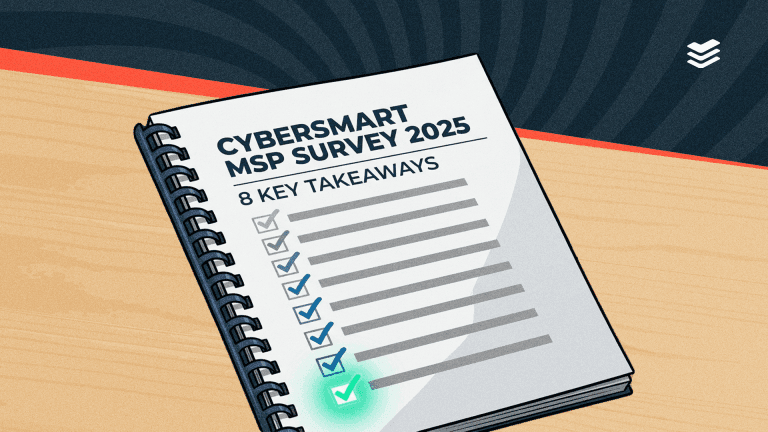
8 key takeaways from The CyberSmart MSP Survey 2025
MSPs are often overlooked. You’ll rarely hear about them in the media, and beyond the odd government report, there’s little research conducted about these organisations that form the backbone of many economies. And this is especially true when it comes to their cybersecurity.

In 2024, we set out to change this with our first CyberSmart MSP Survey. For 2025, we went a little further. This year we’ve expanded the survey to include markets with a strong MSP presence across the globe. The CyberSmart MSP Survey 2025 features 900 MSP leaders from the UK, France, Belgium, Australia, New Zealand, Sweden, Germany, and the Netherlands.

However, not everyone has time to read the full report. So, if that’s you, strap in and we’ll run through the key takeaways for The CyberSmart MSP Survey 2025.

1. MSPs are being breached at an alarming rate

The last year has seen a number of high-profile breaches of MSPs. One such example is the £3m fine levied by the Information Commissioner’s Office (ICO) on an MSP providing software and services to the NHS in March 2025, over security failings that led to a ransomware attack. 

Or, even more recently, in May 2025, the Dragonforce ransomware gang breached an MSP’s remote monitoring and management (RMM) tool to conduct a supply chain attack. But beyond the headlines, our survey uncovered evidence that successful attacks on MSPs are widespread.

Of the 900 MSP leaders we surveyed, 69% reported being breached two or more times in the last 12 months. This represents a slight increase from the 67% who reported breaches in our 2024 edition. Shockingly, 47% of those surveyed had experienced three or more breaches in the last 12 months.

Want to know more about the threats facing MSPs? Read the report in full here.

2. Perception of customer risk remains high

2025 has become the year of the major cyber breach. We’ve seen everyone from big-name retailers to government agencies being hit with attacks. So it’s not a surprise to see that MSP leaders are about as concerned for their customers’ cyber safety as they were in 2024.

58% of those that we surveyed felt their customers were more at risk, a slight decrease from 61% last year. However, what is interesting is that the percentage of MSPs who sense no change in risk level in the previous 12 months has halved (from 24% to 12%).

This suggests that MSPs broadly fall into two camps on risk. Either they’re relatively confident in their customers’ cybersecurity measures, and so feel risk has declined, or emerging threats have made them more concerned than ever.

3. Emerging AI threats are what keep MSP leaders up at night

Earlier this year, Forbes labelled 2024 “a landmark year in the evolution of AI”, and in many ways it was. 2024 was the year many of us began using generative AI in our day-to-day lives and work.

However, as with any new technology, the rise of generative AI has a darker side. Cybercriminals, never ones to miss a chance at innovation, have also begun using the technology, whether for uber-convincing deepfakes, spinning up malware in minutes, or weaponising AI’s tendency to hallucinate to launch attacks.

It’s perhaps this which explains why AI has rocketed to the top of MSP leaders’ concerns. Some 44% of our respondents listed it as a concern, which is remarkable when you consider that it barely featured in last year’s report. Worryingly, it’s also probably the threat most MSPs are least well-equipped to deal with, due to the lack of easy-to-use tools to counter AI-powered attacks.

4. MSPs transitioning to full cybersecurity providers

In last year’s report, we highlighted how customers increasingly expect MSPs to manage and implement their cybersecurity alongside IT services. In 2024, 65% of MSP leaders we spoke to told us that customers now expect them to manage their cybersecurity.

This trend has continued in 2025. A staggering 84% of MSPs now manage either their clients’ cybersecurity infrastructure or their clients’ cybersecurity and IT estate combined. 

This growing expectation for MSPs to manage cybersecurity is reflected in the scrutiny placed on them by customers in new business meetings. 77% of respondents said scrutiny of their businesses’ security capabilities has increased either slightly or a lot, suggesting that MSP customers are more aware than ever of the importance of good cyber credentials in a potential partner.

5. MSPs are rising to meet demand

81% of the MSPs we spoke to said they’d increased spend on specialist cybersecurity hires.

Likewise, 78% had upped spending on their security capabilities such as training, defences or products and services for customers.

But it’s not just security that MSPs have invested heavily in over the past 12 months.

MSPs are increasingly concerned about compliance with cybersecurity regulations and frameworks. Whether it’s the European Union’s Network and Information Systems Directive 2 (NIS2), Essential 8 in Australia, or the UK’s upcoming Cyber Security and Resilience Bill, compliance with regulations has become an important part of the landscape for MSPS across the globe.

As a result, MSPs are spending big on regulation. 60% of our respondents had invested in specialist regulatory hires in the last 12 months. Meanwhile, 64% had increased spending onregulatory capabilities over the same period.

6. MSPs’ cyber confidence is high, but there’s room for improvement

Despite the number of breaches suffered by MSPs, it doesn’t seem to affected overall confidence. 76% of respondents said that their business displayed either complete or above average cyber confidence, despite 69% of them suffering multiple breaches in the past year.
 
However, before we conclude that MSPs are overconfident in their cybersecurity, it’s worth adding a caveat. Given their role as cybersecurity providers and advisors to their clients, most MSPs do display above-average levels of cyber confidence, especially when compared to other businesses.

It’s also worth noting that the number of MSPs who described their cyber confidence levels as average or above (96%) has remained consistent with 2024. 97% of those we surveyed last year rated their cyber confidence levels as ‘fair’ or ‘great’. What’s more, outside the 20% who categorised their cyber confidence as complete, most MSPs (80%) recognised there was some room for improvement.

7. Confusion reigns over ransomware payments

By far the most surprising result of our survey concerns ransomware payments. Attitudes towards ransomware payments have shifted in the last few years. Many governments, most notably the UK, have mooted bans on ransomware payments for public bodies and government contractors. Meanwhile, cyber insurance providers are increasingly advising clients not to pay ransoms.

With that in mind, it was unexpected to see so many MSPs (45%) answer that they kept a dedicated allocation of money in case of ransomware attacks. More worrying still is the 11% of MSPs that have no dedicated budget for ransomware payments or cyber insurance.

What’s at the root of this? Well, what businesses should or shouldn’t do when it comes to ransomware payments has always been poorly defined. What your business is advised to do will largely depend on where you’re based and who’s advising you. And this is reflected in our survey results, suggesting that MSPs are just as confused as everyone else.

8. MSPs are concerned but prepared for regulations

For our last questions, we asked MSPs which upcoming regulations and legislation they were most concerned about.

As you’d expect, the results were largely predicated on geography, with UK MSPs most concerned about the upcoming Cyber Security and Resilience Bill (28%) and the Cyber Assessment Framework (49%). Whereas, MSPs based in the European Union were more concerned with the Digital Operational and Resilience Act (40%) and NIS2 (14%). And, naturally, Australian MSPs were focused on Essential 8 (15%). 

However, what’s far more interesting is how prepared MSPs are to meet legislative and regulatory changes. Regardless of jurisdiction, a large portion of our respondents were ready to meet regulations. 46% said they had a compliance plan for their business, and a further 15% indicated that they were ready to adapt to regulatory changes as and when they happen.
Another 39% of MSPS felt they were ready to offer a solution or guidance to customers in meeting cybersecurity regulations. This is a healthy figure; however, it’s a little unexpected that it isn’t higher.

Helping clients meet regulatory obligations is set to be the key opportunity for MSPs across 2025 and beyond, so those MSPs not meeting demand could be leaving revenue on the table.

Want to know more about the global cybersecurity landscape for MSPs? Access the CyberSmart MSP Survey 2025 in full, here.

AI and cybersecurity: what you need to know
If there is a defining buzzword of the last few years, it’s probably artificial intelligence (AI). Barely a day passes without a company, tech entrepreneur, or even government proselytising about the technology and its transformative potential. However, when it comes to AI and cybersecurity, the picture is blurrier.

We often hear about the negative side of AI. Justifiably so, as the NCSC puts it: 

“AI will almost certainly continue to make elements of cyber intrusion operations more effective and efficient, leading to an increase in frequency and intensity of cyber threats.”

Nevertheless, things are more complicated than they first appear. Of course, AI can be used by criminals to supercharge cyber threats. But it can also be used to create stronger defences than ever before. In this blog, we’ll look at both the good and the bad, before asking how businesses looking to leverage AI can do so safely.

What do we mean by AI?

For the purposes of this explanation, we’ll be focusing on the two most widely used types of AI: generative and agentic (there are others).

Generative AI

This is the type of AI you probably use in your daily life – think ChatGPT, Claude, Microsoft Copilot or Perplexity. Also known as large language models (LLMs), generative AI uses existing data to ‘generate’ new content like text, video, images, audio or code. Crucially, this type of AI relies heavily on human inputs or ‘prompts’ to create things.

Agentic AI

Agentic AI is a type of artificial intelligence that is designed to operate more or less autonomously with minimal human supervision. Unlike generative AI, agentic AI is proactive and has agency to adapt to context and pursue complex goals without prompting or guidance at least in theory.

Both types of AI can be put to a wide variety of tasks, from software development to customer support. Plus, they can even be used for cybersecurity, potentially offering levels of protection that businesses would’ve needed very deep pockets to acquire just a few years ago.

So far, so good, we hear you say. What’s the catch?

Well, like any powerful technology, AI isn’t inherently good or bad. The key is how it’s used and who is using it.

AI and cybersecurity: the bad

For all its transformative potential, AI has a darker side. Let’s deal with that first. We’re going to split this into two sections: one dealing with the non-malicious cybersecurity risks AI raises, and the other, how the bad guys are using it to their advantage.

Hallucinations and human error

Hallucinations

Have you ever asked an LLM a question and felt that the answer it gave you wasn’t quite right? You weren’t imagining things. A common problem, particularly with LLMs, is AI hallucination. This is exactly what it says on the tin. Sometimes, generative AI models present incorrect or misleading information as fact.

There are a few reasons for this, ranging from being trained on poor-quality data to unclear prompts from the human guiding it. The technical how and why isn’t particularly important, but what is, is how this becomes a cyber risk.

Unfortunately, it’s not just content that LLMs hallucinate. If you’re using one to code, it may write scripts containing open-source software packages that don’t exist. Why does this matter? Well, cybercriminals have devised a way to use AI hallucinations to their own malicious ends – a process called “slopsquatting”.

Basically, a cybercriminal could publish a fake package, containing malware, to an official repository with the same details as the hallucinated one. When another user prompts the same LLM to generate code and it returns the same hallucinated response, the victim would be directed to download the malicious package, exposing their systems to malware.

This might sound unlikely. After all, what are the chances of a different user generating the same code? Sadly, it’s more common than you might think. According to research from the University of Texas at San Antonio, Virginia Tech, and the University of Oklahoma, package hallucination is a common problem with (LM-generated code. Across all LLMs, researchers found hallucinations present in around 20% of all packages.

The persistent, repeatable nature of these hallucinations makes them very bad news for anyone other than cybercriminals.

Human error

A far bigger problem than slopsquatting is good, old-fashioned human error. We can all be guilty of not really thinking about what we’re doing when using tools like LLMs, particularly when it comes to the data we share with them. 
For example, say you want to automate certain tasks in your business using generative or agent-based AI. The first thing you’d need to do is feed the AI algorithm data to train it. However, it really matters what data you use; it’s possible for an AI to “see too much”.

Hackers have realised that some companies will feed sensitive information such as business strategy, customer data, or intellectual property into AI algorithms. Unfortunately, they’ve also devised a way of accessing this data. All an attacker who gains access to the AI needs to do is continually prompt it with leading questions until the AI unwittingly reveals corporate IP.

It’s a similar story with employees using AI for day-to-day tasks. Without clear guidance, there’s always a risk that staff could share too much information with AIs, particularly those using free or open-source models.

The bad guys tool up

We’ve already mentioned a couple of ways cybercriminals can exploit AI to launch cyberattacks. Unfortunately, those are far from its only uses for hackers. Here are a few additional examples of how cybercriminals are taking advantage of AI.

AI-powered social engineering

Social engineering is by far the most common form of cyberattack. And that isn’t likely to change with the advent of generative and agentic AI. Both allow cybercriminals to perfect the art, whether that’s by spinning up convincing phishing campaigns faster than ever, creating malicious AI chatbots, or generating near-perfect deepfakes.

Malware and ransomware development

Perhaps the most worrying use of AI is the automation of malware creation and attacks. There’s already evidence of cybercriminals using AI to create new malware variants with unique characteristics to help evade detection. 
The picture becomes even more sinister when you consider how agentic AI could be used. It’s entirely plausible that agentic AI could be used to create and run malware that analyses an organisation’s defences and adapts in real time to evade detection by malware protection tools.

Worse still, we know that malware as a service has grown in popularity over the past few years. This means there’s likely to be a secondary market for AI-developed malware and ransomware, selling to cybercriminals who aren’t sophisticated enough to create these tools, potentially upping the level of attack they’re able to launch.

Data poisoning

Data poisoning refers to when cybercriminals go after the very datasets AIs are trained on. By injecting false information into the dataset, attacks can foul the model’s learning process, corrupting its decision-making.

AI-driven breaches

While relatively unsophisticated tactics like brute force and DDoS attacks are already largely carried out by bots, AI has the potential to supercharge them. AI can be used to improve the efficiency and speed of password cracking or to create tools that can bypass security measures like CAPTCHAs and other forms of biometric authentication.

AI and cybersecurity: the good

Although we might be entering a golden age of cybercrime for hackers, don’t despair; there is hope. Here are just a few potential uses of AI for cybersecurity.

Agentic AI as a defensive tool

We’ve painted a pretty bleak picture about the nefarious capabilities of AI. However, it’s important to remember that AI is a tool which can be used for good or ill, depending on who’s using it.

There are a number of companies that’ve already developed defensive agentic AI products. For example, Darktrace’s Antigena which can can identify and mitigate threats as they emerge, without needing prior knowledge of the specific malware or attack method. Likewise, Crowdstrike has developed its Falcon platform, an advanced endpoint protection solution.

These are just two examples of the technology being developed. And, while the cost of these tools is currently prohibitively expensive for most small businesses, options for all price points are likely to become available over time.

Threat intelligence and predictive analysis

AI models can be invaluable in determining where the next attack is coming from. Some models can be used to aggregate and analyse data from across the globe, identifying emerging threats and predicting attack patterns.

Automating security measures

Another exciting potential use of AI is for automating routine security measures. For instance, AI models can be instructed to configure firewalls or scan for threats, or patch vulnerabilities, freeing up staff for complex technical issues.

Incident response

We all know how quickly you respond to a breach or threat can often determine its outcome. Agentic AI could dramatically speed up our ability to respond by analysing incidents, providing recommendations or even initiating automated responses to threats, minimising the damage and downtime.

Training

Finally, Generative AI is fantastic at creating engaging content. So why not use it to create scenario-based training, such as phishing simulations? These scenarios could be tailored to adapt in real time, helping employees stay ahead of emerging threats.

What should you do to mitigate AI risks?

We’ve tackled the potential uses of AI models for cybersecurity, both good and bad. But what should you be doing to safeguard your business in the here and now?

Improve your AI security posture

If you’re using AI systems for day-to-day tasks around your business, there are a few basic cybersecurity measures you’ll need to adopt. These include:

  • Encrypting corporate data to prevent AI models from training on it and cybercriminals from accessing it
  • Adopting strict access controls on who uses AI and for what within your business
  • Continuous monitoring of your AI systems for unusual behaviour

Educate your people

Ensure everyone in your business is aware of the dangers of AI tools, both in terms of attacks and human error. You can do this through cybersecurity awareness training and by implementing an AI security and governance policy that outlines what legitimate and risky uses are.

Avoid vibe coding

If you’re a business that employs developers or programmers, you should discourage the use of vibe coding for any system that could pose a security risk. “Vibe coding” is a process where users express their intention using plain speech, and the AI transforms that into code.

The problem with vibe coding is that the developer often doesn’t know how the AI created the code. It’s a leap of faith, one which can lead to problems like slopsquatting or inadvertently creating vulnerabilities.

A note of caution

All of the above comes with a fairly large caveat. Current agentic AI, despite the hype, still has technical limits. Many AI agents today perform well in narrow, well-defined tasks but struggle with complex, general contexts.

In a live cybersecurity scenario, an AI might handle known patterns but get confused by a novel situation that doesn’t fit its training. This applies equally to attack and defence, making a lot of what we’ve talked about in this blog theoretical.

That being said, AI models continue to improve at a rapid rate, and these capabilities aren’t far away. So, if you aren’t already thinking about how AI affects your cybersecurity, there’s no time like the present.

Want to give your people the skills to recognise cyber threats before they turn into breaches? Check out CyberSmart Learn, our cybersecurity focused learning management system.


Introducing CyberSmart Patch: A smarter way to reduce vulnerabilities
95% of cyber breaches start with human error, but software vulnerabilities are often the missing piece. Out-of-date applications open the door for attackers, and in busy teams, patching easily gets missed. That’s why we’re excited to introduce CyberSmart Patch, a new way to take the complexity out of keeping software up to date.

Whether you’re a small business or a managed service provider, CyberSmart Patch helps you reduce vulnerabilities and stay secure, without disrupting your team or customers.

Why is patching so important?

Patching removes known vulnerabilities from your systems. It’s the most direct, effective way to reduce the risk of cyberattacks. If left unpatched, even trusted software becomes an entry point for attackers. However, many small businesses don’t have the tools or time to address vulnerabilities effectively. 

Patch management closes these gaps before attackers can exploit them.

What is CyberSmart Patch?

CyberSmart Patch is our new solution available within the CyberSmart platform that allows you to update third-party software on your Windows and Mac devices — quickly, clearly and with minimal fuss.

You get full visibility of what’s been patched, where, and when, directly from your CyberSmart dashboard.

In this first release, Patch supports:

  • Hundreds of common third-party apps (including all major browsers and messaging tools)
  • Patching single or multiple devices across organisations
  • Patch visibility and history by device and version
  • Minimal end-user disruption (a single restart prompt only)

Who is CyberSmart Patch for?

If you…

  • Don’t have a patching solution
  • Find your current solution unreliable or intrusive
  • Manage IT across multiple teams or businesses
  • Want an easier way to improve your cyber hygiene

...CyberSmart Patch is built for you.

It’s designed to fit seamlessly into the CyberSmart ecosystem, with a clear path to setup, no need for extra tools, and minimal user interference.

What’s next for Patch?

This is just the beginning. We’re already planning:

  • Operating system patching
  • Auto-patching
  • Scheduling and approval flows
  • Group-based device management

These features will roll out over time, helping you gain even more control and flexibility.

To access CyberSmart Patch, please get in touch with your account manager or contact our support team.