New product: CyberSmart Phish – now live!

No matter what your line of business, phishing is by far the most common cyber threat you’re likely to face. And, while we all like to think we know a thing or two about spotting a scam, the figures suggest we might have some work to do. According to the most recent Cyber Security Breaches Survey, 84% of businesses and 83% of charities reported being targeted by one in 2024.

The most effective way to counter phishing scams is to recognise them before they do any damage, and this takes training. So, as part of our recently released cybersecurity awareness training platform, CyberSmart Learn, we’re also launching CyberSmart Phish.

What is CyberSmart Phish?

CyberSmart Phish allows your organisation to proactively strengthen its cybersecurity by simulating real-world phishing attacks. It includes real-time analytics, behavioural insights, and flexible campaign management — all seamlessly manageable from CyberSmart Learn.

7 key benefits of CyberSmart Phish

1. CyberSmart Learn integrated

Easily enable CyberSmart Phish for your customers, allowing for straightforward management of phishing simulations from inside the CyberSmart Learn portal.

2. Email template library

CyberSmart Phish includes over 70 pre-built email templates. And, you can create new templates with your specific brand and formatting.

3. Landing page customisation

You can create and manage spoofed landing pages that recipients are directed to after clicking on phishing emails. These pages can be educational, providing resources and guidance on recognising phishing attempts.

4. Simple campaign management

Build and manage phishing campaigns, selecting specific email templates, landing pages, and target groups. This allows for tailored simulations based on department or user behavior.

5. Reporting and analytics

CyberSmart Phish provides detailed reports on campaign performance, including metrics such as open rates, click rates, and data submission rates. This helps your business assess the effectiveness of your phishing simulations.

6. Behavioural insights

Track user interactions and identify who needs extra training or tailor your simulations to address gaps in knowledge.

7. Flexibility in frequency

Choose the frequency of phishing simulations based on your organisation’s needs, with recommendations for monthly or quarterly campaigns.

How do I access it?

CyberSmart Phish is integrated into CyberSmart Learn. So, if you’re already a Learn customer, you should now see CyberSmart Phish within the platform. For more information on set-up and how-to guides, head to our BeCyberSmart Community.

For any other questions, please get in touch, our team are happy to walk you through it.

Introducing CyberSmart Learn - now available!

We’re delighted to announce the launch of CyberSmart Learn, our new cybersecurity awareness training and learning management system.

At CyberSmart, we view security training for staff as one of the key pillars of Complete Cyber Confidence. So, we’ve launched CyberSmart Learn to build on our existing offering and provide your people with skills and knowledge to defend themselves (and your business). Here’s what you need to know.

What is CyberSmart Learn?

CyberSmart Learn is our new and improved cybersecurity awareness training and learning management system.

What makes CyberSmart Learn different?

CyberSmart Learn builds on our existing cybersecurity training offering. While CyberSmart Academy was a bolt-on for Active Protect, Learn is a dedicated LMS and a separate product in its own right.

Plus, it comes with a whole host of features that we couldn’t offer in CyberSmart Academy, these include:

Totally customisable

CyberSmart Learn is completely customisable to your needs. Choose what training employees receive and when, upload your own custom training, and white label it to match your brand. 

Advanced reporting

CyberSmart Learn offers advanced real-time reporting, allowing you to track training progress and cyber awareness across your business or network. 

New and improved content

All of our cybersecurity training content has been given a radical refresh with over 70 new modules, an enhanced user experience and a new look interface. 

Broadened scope

CyberSmart Learn isn’t solely dedicated to cybersecurity. Within it, you’ll also find HR and data protection modules. And, you can even add training from other providers. All you need to upload any training your business requires is a SCORM file of the content. 

Scalability

Whether you’re a 5-person business, 500-person enterprise, or a managed service provider with a network of thousands of customers, CyberSmart Learn scales with your organisation.

Why this matters

It’s estimated that human error is the cause of between 88% and 95% of all cybersecurity breaches. In other words, if we could eliminate the little security mistakes all of us make from time to time, many breaches simply wouldn’t happen. 

Yet, employee training is often overlooked as a key component of cybersecurity. In our recent SME Mobile Threat Report, we discovered that 59% of SMEs didn’t provide any mobile security training to staff. This comes at a time when it’s becoming clearer that higher spending on cybersecurity tools doesn’t necessarily correlate with safer businesses.

CyberSmart Learn is our commitment to addressing this. We believe that employee training is one of the most cost-effective means of protecting your business and CyberSmart Learn can help you do it.

What does this mean for CyberSmart Academy?

CyberSmart Academy lives on. But, we’ve rebranded as CyberSmart Learn Lite. Nothing else has changed. It’s still included as standard with CyberSmart Active Protect and includes all the features you currently know and love.

However, one thing to bear in mind, is that CyberSmart Learn is a new platform requiring its own configuration of users and assignments so you’ll need to start afresh if you upgrade.   

How do I get CyberSmart Learn?

Get in touch. CyberSmart Learn is live and ready for use. So if you’re ready to get started please reach out directly or through your managed service provider.


Debunking mobile device security risk myths

Misinformation about mobile device security spreads faster than a viral meme. These misconceptions tend to create a false sense of security, which is precisely what cybercriminals rely on. 

So, it’s time to separate fact from fiction. Let’s debunk some of the most common mobile device security risk myths.

Myth 1: Mobile phones are more secure than desktops

Spurred by the outdated belief that most breaches occur within Windows systems, most people assume that mobile devices are innately safer than desktops. 

Despite built-in security features such as biometric authentication, encryption, and sandboxing, mobile devices are just as vulnerable to cybersecurity risks as computers. 

Their portable nature, the rise in mobile phishing, and side-loaded apps are just some of the reasons for this.  

On the whole, no device is more secure than any other, and each has unique vulnerabilities.

Myth 2: No one can track my phone if location services are off

Disabling location services helps but doesn’t make your device completely invisible. Whether you use an iOS or Android phone, there are ways to track it without GPS. 

Proximity-based tracking is an alternative that uses signal strength, access points, and device interactions to infer locations. Examples include:

Cell tower triangulation

First developed to help emergency services locate callers, cell tower triangulation measures the time delay a signal takes to travel back to multiple towers from your phone. Then, it translates the delay into a distance that gives an estimated device location.

Wi-Fi tracking

Wi-Fi tracking detects unique identifiers, like the media access control (MAC) address of devices that connect to or pass near Wi-Fi access points. Tracking these identifiers as the device moves allows systems to gather location data without an active network connection.

Bluetooth tracking

Bluetooth tracking relies on signals emitted by Bluetooth-enabled devices when they are within range of sensors or beacons. 

Beacons are often present in:

  • Airports
  • Retail shops 
  • Smart buildings 
  • Museums

Want to know more about the mobile threats facing small businesses? Check out our latest research report

Myth 3: I’ll know if my phone’s been hacked

It’s easy to assume you’ll be able to tell if your phone’s been hacked. Unfortunately, that’s not always the case. Estimates suggest that over 70% of malware employs stealth-oriented techniques to minimise visibility and evade detection. 

Stealth malware operates quietly in the background without the signs we’ve come to associate with comprised devices, such as: 

  • Freezing 
  • Strange pop-ups
  • Overheating 
  • Poor battery life 
  • Unexplained account activity 

Its primary purpose is to silently collect sensitive data, including passwords, messages, and banking information.

Myth 4: Only high-profile individuals need to worry about mobile security

While celebrities, executives, and politicians are prime targets for cybercriminals, most cyberattacks target ordinary people. 

The majority of cyberattacks are automated and launched at scale – an approach that will only increase with the rise of AI-powered cybercrime. 

The ‘spray and pray’ method targets a large number of individuals through mass, automated attacks. Even if a small fraction of the attacks succeed, hackers can still acquire vast amounts of confidential information.

Myth 5: I can’t be hacked twice

If you’ve ever heard the saying that lightning never strikes the same place twice, you’ll know it’s neither true for lightning nor cyberattacks. 

In reality, being hacked once makes you more vulnerable to future attacks, not less. Let’s look at why.  

  • Exposed personal information: hackers may have access to sensitive data like passwords or security questions. They can sell this information on the dark web. 
  • Credential stuffing: once your login details are exposed, cybercriminals are likely to use them to try and access other accounts and platforms.
  • Copycat attacks: if a company experiences a breach, and it’s covered in the media, other hackers might take notice and attempt similar attacks.

Myth 6: iPhones are immune to viruses

Apple devices have historically been more secure than Android devices due to iOS's closed nature and built-in security features. 

However, it’s a mobile security risk myth that they don’t get viruses. They’re rare but not unheard of.

Jailbreaking is a common tactic that cybercriminals use to remove the software restrictions operating systems impose, making the device, vulnerable to malware and viruses.

Myth 7: Multi-factor authentication provides complete security

There’s no doubt that enabling multi-factor authentication (MFA) significantly improves cybersecurity, but it’s not infallible. 

Cybercriminals have developed ways to bypass MFA. Some of their tactics include: 

  • MFA fatigue attacks: cybercriminals flood your device with repeated MFA requests, hoping you’ll approve one. 
  • SIM swapping: hackers steal your phone number via SIM swapping, redirecting MFA codes to their device. 
  • Brute-force attacks: some MFA relies on weak security questions, which hackers can guess.

Know the facts, protect your mobile device

It’s time to face the facts – cybercrime is only getting more sophisticated. Don’t be misled by mobile device security risk myths, which breed complacency and make you vulnerable to threats. Instead, stay up to date on cybersecurity developments and keep your mobile device safe.

Did you know 59% of SMEs provide no mobile cybersecurity training to staff? Find out why this is a problem and what to do about it in our SME Mobile Threat Report.


5 types of mobile ransomware and how to protect your devices

Mobile ransomware is one of the most disruptive types of cybercrime, often resulting in substantial downtime, financial loss, and reputational damage. 

With our mobile devices storing everything from banking credentials to confidential conversations and documents, it’s a cyber threat you can’t afford to ignore.

What is mobile ransomware?

Mobile ransomware is a type of malware. Hackers use it to encrypt files and block system access to extort money.2024 was a significant year for ransomware, with the number of attacks rising by 13%. It was also the year the largest ransomware payment was recorded – £60 million ($75 million) to the Dark Angels.

How does mobile ransomware work?

Although there’s some variation between the different kinds of ransomware, they all follow the same three stages: infection, data encryption, and ransom demand. 

Cybercriminals use several methods to deliver ransomware to mobile devices, including: 

1. Phishing 

Phishing remains the delivery method of choice for mobile ransomware. Spear phishing is especially popular as it enables hackers to target specific, high-profile individuals.

Want to know more about the mobile-specific threats faced by small businesses like yours? Check out our latest research report.

2. Exploit kits

Hackers use these toolkits to scan devices for security vulnerabilities and install ransomware. 

3. Downloads

Cybercriminals disguise ransomware as legitimate apps. Once installed, the ransomware is free to spread. On the other hand, drive-by downloads don’t need user interaction – malware installs automatically when you visit a harmful website.

Types of mobile ransomware

Here are the five most common types of ransomware to be aware of.

1. Crypto ransomware

This well-known ransomware encrypts files and data, making them inaccessible without a decryption key. The attacker then demands payment, generally in the form of cryptocurrency. Cybercriminals favour cryptocurrency for its anonymity, global reach, and lack of regulation. 

Doublelocker is a notable variant of Android crypto-ransomware. It encrypts files and can change your device's PIN.

2. Locker ransomware

Rather than encrypting files, locker ransomware completely shuts you out of your device. Cybercriminals typically leave a note demanding payment to unlock it.

3. Scareware

This tactic creates fake panic but real danger. It mimics antivirus warnings and claims your device is infected, instructing you to download paid antivirus software. The kicker is that your device wasn’t infected in the first place but gets infected when you download the fake software. 

For example, a pop-up says, “Your device has 1,435 viruses! Pay £40 NOW to remove them!”

4. Leakware

Also known as extortionware or doxware. Instead of encrypting your files, leakware steals sensitive information and threatens to make it public.

5.Ransomware as a service (RaaS)

RaaS enables cybercriminals to buy or rent ransomware code from other hackers. It makes ransomware easily accessible, even to those with limited coding skills. According to the World Economic Forum, RaaS kits cost as little as £30 ($40).  

What are the most targeted industries?

Manufacturing is the most targeted sector in the UK, particularly small companies with 50-200 employees, followed by finance and healthcare.

Responding to a ransomware attack: to pay or not to pay?

Now, that is the question. UK law enforcement discourages victims from paying ransoms, as there’s no assurance that you’ll regain access to your device or data. Plus, complying with ransom demands increases the likelihood of being retargeted.

Here’s how to respond instead: 

  • Isolate affected systems: disconnect infected devices from the network to avoid ransomware spreading
  • Engage experts: consult cybersecurity professionals to guide your remediation efforts. 
  • Report the incident: notify law enforcement agencies
  • Restore backups: if available, use clean backups to restore data once you’ve eradicated the malware

How to keep your mobile devices and business safe

Following mobile device security best practices can help reduce your risks. Here are a few simple examples: 

  • Keep your operating system updated and patch security vulnerabilities
  • Regularly back up your data to an external hard drive or cloud storage 
  • Use strong passwords and enable multifactor authentication
  • Avoid downloading apps from unofficial sources 
  • Install reputable antivirus and anti-malware software to detect threats

Don’t let your data get held hostage

Cybercrime is increasingly targeting mobile devices, and ransomware is no exception.  Understanding the different types of mobile ransomware and taking proactive security measures helps keep your devices and data safe.

Did you know 59% of SMEs provide no mobile cybersecurity training to staff? Find out why this is a problem and what to do about it in our SME Mobile Threat Report.

What PPN 014 means for your business

Procurement Policy Note (PPN) 014 changes the requirements for government and public sector body tenders in the UK. Here’s everything you need to know.

What is PPN 014?

PPN 014 is a government directive aimed at reducing cyber risk in public sector supply chains. Essentially, if your business supplies services or products to government departments or bodies, you’ll be required to prove you have basic cybersecurity controls in place. The simplest way to do this is to complete Cyber Essentials certification.

Why has PPN 014 been enacted?

Simply put, supply chain attacks pose a huge problem. More than 75% of software supply chains experienced cyberattacks in 2024, at a rate of one every two days. What’s more, supply chain attacks are projected to cost the global economy $138 billion (£108 billion) by 2031. 

At the same time, according to government research, UK businesses are ill-prepared for supply chain risks. Only one in ten businesses say they review supplier risk (11%, vs. 9% of charities). PPN 014 is an attempt to plug this gap.

Want to know more about the risks posed by supply chains? Check out our guide to supply chain attacks

History and timeframes

Since 2014, suppliers bidding for certain government contracts have been expected to demonstrate a minimum level of cybersecurity. Earlier PPNs ( PPN 09/14 and PPN 09/23) built this foundation and PPN 014 updates it in line with recent legislation such as the Procurement Act 2023 and Procurement Regulations 2024.

If you’re a business PPN 014 applies to (more on which in the next section) there are a couple of dates to bear in mind:

  1. 24th February 2025 – all procurements that begin on or after this date are subject to the new rules

2. Contracts awarded up to (and including) the 23rd February 2025 will continue to follow the earlier PPN 09/23  requirements

Who is in scope for PPN 014?

If you work with any of the following, you’ll be considered ‘in scope’ for PPN 014 the next time you bid for a contract: 

  • Central government departments and executive agencies
  • Non-departmental public bodies (NDPBs)
  • NHS bodies

To bid for any of these contracts you must be prepared to demonstrate that your cybersecurity meets the standards laid out by PPN 014.

What you need to do to meet PPN 014

Procurement requirements can appear daunting, especially if you’re new to thinking about your cybersecurity. However, the provisions of PPN 014 are actually quite simple and shouldn’t require wading through hours of paperwork or reinventing the wheel. Here’s what you should do.

1. Get Cyber Essentials certified

First things first, you need to complete Cyber Essentials or Cyber Essentials Plus certification. Cyber Essentials certification will help you put in place the five basic security controls required by PPN 014. 

Plus, it’ll protect your company. Cyber Essentials is proven to defend against 98.5% of the most common cyber threats. And, organisations with Cyber Essentials are 92% less likely to claim on cyber insurance policies.

All in all, it’s the easiest route to meeting PPN 014 requirements.

2. Check your certification scope

Once you’ve completed Cyber Essentials, you need to check the scope of your certificate. Does it cover the parts of your business that are relevant to the contract you’re bidding for?

If your operations are split across multiple locations, offices or areas you’ll need to clarify which parts are included. In most cases, this will have been something you tackled when undertaking the assessment. However, it’s always worth checking nothing has changed as it could invalidate your evidence if part of your operations fall outside the scope of your certificate.

3. Prepare documentation

Next, you’ll need to provide evidence of your certification when tendering. You should receive either a digital or physical certificate once you complete the assessment.

4. Keep an eye on your renewal date

Cyber Essentials is an annual certification so you’ll need to renew it once a year to account for any changes in your business. With this in mind, it’s worth keeping an eye on when your renewal date is coming up so you don’t become ineligible for government contracts.

How to prepare for PPN 014

1. Review the guidance

Visit the National Cyber Security Centre’s (NCSC) Cyber Essentials website and use the readiness toolkit to understand the requirements.

2. Understand your contractual requirements

Check tender documents carefully to confirm whether Cyber Essentials certification (or equivalent) is needed. If in doubt, you can always ask the contracting authority or your managed service provider for clarification.

3. Talk to CyberSmart

CyberSmart is dedicated to helping small businesses build Complete Cyber Confidence within their organisations. If you’re struggling with the requirements of PPN 014 or need to start the Cyber Essentials certification process, talk to us, we can help. We offer unlimited guidance and support, free 25k cyber insurance on completion, and we often get you certified in as little as 24 hours. 

If you already work with an MSP (Managed Service Provider) or IT company, let us know so we can speak with them to support you through the process.

How can Managed Service Providers help?

Of course, if you’re an MSP who works with government bodies you’ll need to comply with the requirements of PPN 014 yourself. If this is the case, you likely need a Cyber Essentials certification (something we recommend for all MSPs, regardless of who you work with).

However, you may also need to help your clients meet these requirements. Whether by managing their IT services, helping them complete Cyber Essentials, or advising on security best practices, you have a vital role to play.

Supporting your clients

There are a few key things you can do to support your clients with PPN 014, these are:

Subcontractor management

If you work with other vendors or subcontractors, make sure they meet the necessary cybersecurity standards. By far the simplest way to do this is to insist that anyone you work with has a valid Cyber Essentials certification as a minimum requirement.

Provide advice

Many businesses, particularly SMEs, won’t be aware that they need to complete Cyber Essentials to bid for government contracts. This is your chance to walk them through the process, offer advice on best practices and, ultimately, help them become more secure.

Offer pre-tender support

Offer assistance to clients in preparing tenders that require PPN 014 compliance by outlining the certification roadmap and available resources such as the NCSC’s Active Cyber Defence guidance.

Finally, if you need support, reach out to CyberSmart. We work with over 800 MSPs across the UK and beyond. Find out how partnering with CyberSmart could benefit your business here.

Supply chain CTA 2


Everything you need to know about the upcoming Willow Question Set for Cyber Essentials

Spring is on the horizon and, in the cybersecurity world, that often means only one thing: changes to the Cyber Essentials question set. Titled Willow, a new question set is due to go live on 28th April 2025, replacing 2023’s Montpellier question set.

The Willow Question Set introduces several key updates to enhance organisations’ protection and reflect modern work practices. Here’s everything you need to know. 

Why is the change happening? 

As cyber threats continue to evolve, so too must our defences. In recognition of this, IASME and the National Cyber Security Centre (NCSC) have made some subtle tweaks to the question set. 

It’s best to think of these changes as a natural evolution of Cyber Essentials to account for new forms of authentication and changing working practices. Plus, they should help make the assessment process smoother by providing better guidance for anyone completing the certification.

What are the key updates in the Willow Question Set?

Scope clarification

The new question set provides clearer guidelines on what must be included in the scope of the assessment. For example, this includes any device accessing organisational data or services, even if they connect to cloud services rather than internal systems. 

Firewall management

Under the Willow Question Set, all firewalls and routers must be listed in the network equipment section. There’s also a requirement for home and remote routers to use software firewalls.

The language around firewall management has also been updated in an attempt to drive businesses to review their firewall rules regularly.

Password management

Willow updates existing password policy best practices by emphasising the need for secure configurations. It also introduces passwordless authentication as an acceptable method for securing firewalls and routers. However, passwordless systems may still require brute-force protection methods – such as randomly generated passwords, using letters and symbols etc – if they use backup passwords.

Vulnerability fixes

The terminology for patching throughout the assessment has been changed to “vulnerability fixes.” This is to better reflect the importance of patching and includes configuration or registry changes for vulnerabilities with a CVSS score of 7 or higher, or those classified as high or critical risk.

Definitions and language

There are a few minor changes to the language within the question set. For example, updating the term "plugin" to "extension" and changing references from "home working" to "home and remote working.”

What about Cyber Essentials Plus?

As well as being subject to a new question set, there are some key changes to the Cyber Essentials Plus certification process to be aware of. Assessment tests 1 (Remote Vulnerability), 3 (Malware protection), 5 (Account Separation) remain the same. However, there have been some tweaks to tests 2 and 4.

Test 2 – Internal Vulnerability Assessment

The sampling process for the Internal Vulnerability assessment has changed substantially:

  1. Auditors must conduct sampling immediately before the audit. In previous years, the sample was drawn from the self-assessment report.
  2. Assessors validate the way sampling is conducted This means an assessor will need to see the methods used to determine the number of devices in scope for the assessment.
  3. The assessor or certification body will hold and store sampling evidence for the one-year duration of the certificate. IASME can also request this information at any time.
  4. The specific devices included in the assessment, including the vulnerability scanning and end user tests, will be now be determined by the assessor. 
  5. The random sample of devices picked by the assessor will be sent to the applicant no more than 3 working days in advance.
  6. Internal vulnerability scans will now include ‘configurational changes’ as failure conditions. In the past, high severity vulnerabilities like Unquoted Windows File Path, or Registry Key issues weren't considered conditions for failure – they are now.

Test 4 – Multi-factor Authentication for Cloud Services

Rather than testing all cloud services, as in previous years, a sample is taken instead.

Only cloud services that are accessible by users or devices included on the random scope are tested. If none of the users can access a specific cloud service, then that service is not tested.

Impact on your business

The impact of these changes on your business should be positive. The Willow Question Set provides better guidance and clarity for anyone undergoing Cyber Essentials Certification. Not only will it make the assessment processes easier, but it’ll also better equip your business to meet modern cyber threats. 

However, it’s well worth familiarising yourself with the new requirements before your next renewal.

Managed service providers

The same is true if you’re an organisation providing Cyber Essentials for businesses. Your customers should be able to get through the assessment with less support and finish it better protected to boot.

Again, it’s definitely worth getting to grips with the new requirements so you can offer support to customers where they need it.

If you have any questions about the changes or want to know more about what they mean for your business, please get in touch. We’ll be happy to walk you through it.

Did you know 59% of SMEs provide no mobile cybersecurity training to staff? Find out why this is a problem and what to do about it in our SME Mobile Threat Report.


Common mobile security threats and prevention strategies

Mobile devices are a vital part of everyday life, and unfortunately, so are the forces that threaten them. From phishing to malware, mobile devices are exposed to more risks than traditional endpoints like desktops and laptops.

With that in mind, it’s crucial to understand common mobile security threats and how to prevent them.

5 common mobile security threats

1. Phishing

If there is a number one mobile security threat, phishing is it. It’s a type of social engineering attack in which cybercriminals impersonate legitimate sources to get users to reveal personal information like passwords or banking details. 

Like tackle and bait, phishing and domain spoofing go hand in hand. Domain spoofing involves creating a copycat version of a legitimate website to fool victims. At first glance, the site appears genuine, closer inspection reveals subtle differences. 

For example, a hacker might use a domain name like “evvri.com” instead of “evri.com”.

2. Mobile malware

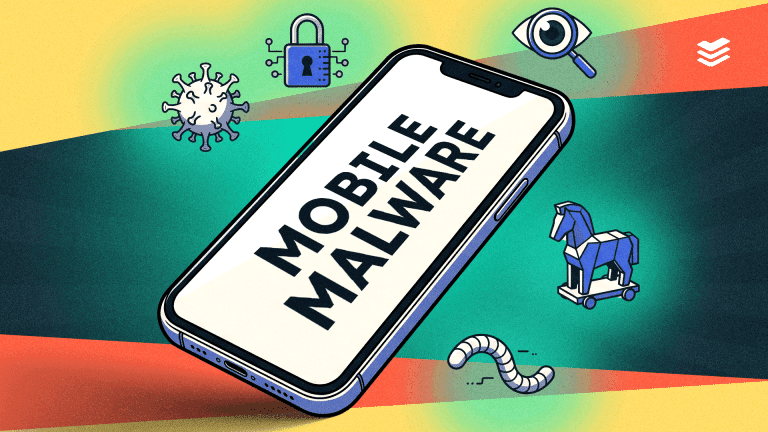
There are various types of mobile malware, each designed to exploit vulnerabilities in mobile devices. These include viruses, worms, trojans, ransomware, and spyware. Each type has a unique method of operation and can cause varying degrees of harm to your device and data.

  • Bank trojans pose as legitimate applications and compromise users’ financial data, such as bank logins and passwords
  • Remote access trojans (RATs) enable cybercriminals to control an infected device remotely
  • Ransomware locks users out of their accounts or steal information to demand a ransom payment
Want to know more about the mobile-specific threats faced by small businesses like yours? Check out our latest research report.

3. Unsecured Wi-Fi

Public Wi-Fi networks are notoriously dangerous and leave you vulnerable to man-in-the-middle attacks (MITM). MITM attacks occur when a cybercriminal secretly intercepts communications to steal sensitive information.

Network spoofing

Network spoofing is another risk when connecting to public Wi-Fi. Cybercriminals set up fake access points that look like regular Wi-Fi networks, intending to steal personal information.

These traps are set in public locations like coffee shops, libraries, and shopping centres. Networks are named things like “Free Wi-Fi” and require users to create an account to gain access. 

Once you’ve entered your email address and password, they’re stored for criminal activities. This is also known as credential harvesting.

Credential stuffing

Credential stuffing exploits our tendency to use the same username and password combinations. Automation allows cybercriminals to launch attacks on a large scale, primarily for financial gain.

4. Side-loaded apps

Sideloading is the practice of installing mobile apps from sources other than official app stores. People use sideloading to access apps that are unavailable in their location, unlock restricted features, and download free or cheap entertainment. 

Side-loaded apps are a prevalent mobile security threat and the perfect entrance for malware and adware. Users who engage in sideloading are 200% more likely to have malware on their devices than those who don’t.

5. Data leakage

Have you ever wondered why an app needs access to your microphone, camera, and contacts? Chances are it doesn’t. Enabling these permissions makes you more vulnerable to data leakage, which occurs when someone accidentally exposes sensitive information. 

Data leaks are different from data breaches in that they occur when sensitive information is accidentally exposed, whereas a data breach occurs when it’s intentionally stolen. For example, sending an email containing confidential information to the wrong recipient.

Mobile security threat prevention strategies

Whether used for work or play, our mobile devices are a gateway to personal information. Over 78% of people use mobile devices to conduct sensitive transactions such as banking, accessing healthcare data, or sharing business information. 

Given the significant volume of sensitive information stored on our mobile devices, it’s crucial to comprehend mobile security threats and prevention strategies.

Leverage built-in device security features

Modern mobile devices have built-in security features – ranging from encryption to biometric authentication and screen locks. Most of these features aren't enabled by default and require you to activate them manually.

Backup data

Get into the habit of regularly backing up your data. Most devices have automatic backup features, enabling you to store important information in a secure location or in the cloud.

Enable remote lock and wipe

If you’ve ever lost or had a device stolen before, you’ll know the panic that sweeps through you as you realise someone has access to all your personal information. 

Being able to lock and wipe your device remotely mitigates this risk and adds peace of mind.

Use VPNs and turn off Bluetooth

Public networks and Bluetooth are common attack vectors for cybercriminals. If you can’t avoid connecting to public Wi-Fi, it’s vital to use a virtual private network (VPN). VPNs use encryption to create a secure connection and hide your location. 

When it comes to your Bluetooth, it’s essential to switch it off whenever you’re not using it. Plus, make sure you don’t connect to unknown devices.

Set strong passwords

It seems obvious, but never underestimate the importance of setting strong passwords. A password is your first line of defence and can be the difference between a secure system and a breached one. 

Password dos: 

  • Set a unique password for all of your online accounts 
  • Enable multi-factor authentication and biometric access 
  • Use a password generator and manager 
  • Create a long and complex password of at least 12 to 16 characters, containing a variation of uppercase, lowercase, numbers, and special characters

Password don’ts: 

  • Reuse the same password for multiple accounts 
  • Use common words and phrases – for example, password123
  • Use personal, easily-accessible information like your name or birthday 
  • Use keys next to one another on the keyboard 
  • Enable the save password option
Implement app-specific passwords

Many apps allow you to set unique passwords or pins to gain access. Choosing this option is a wise step to minimise mobile device security risks, especially when using apps that contain sensitive information, such as banking apps.

Audit apps

Ever downloaded an app to use it once and never again? We all have. That’s why it’s important to regularly review your apps and delete the ones you no longer use. To take things a step further, make sure to remove your personal information from those apps before you delete them.

As for the apps you use regularly, update them with the same fervour with which you use them – and turn on any auto-updates if that’s an option.

Only install legitimate apps

Verify apps before you install them. The first step is to only download apps from trusted sources, like Google Play or the Apple App Store. 

Here are some other things you should look out for before downloading an app:

  • Search for digital signatures, logos, and contact details
  • Google it to make sure it’s legit 
  • Read the reviews in the app store 
  • Review required permissions

Avoid a close call

In a world where mobile security threats are all too common, adopting simple prevention strategies can make a world of difference.

Did you know 59% of SMEs provide no mobile cybersecurity training to staff? Find out why this is a problem and what to do about it in our SME Mobile Threat Report.

Introducing improved software vulnerability detection and reporting in Active Protect – now live!

We’re thrilled to announce a major improvement to Active Protect that will help you stay more secure and in control of your systems: improved software vulnerability detection and reporting is now live.

At CyberSmart, we’ve always been committed to helping you maintain the highest level of security, and this latest enhancement is designed to make managing vulnerabilities easier and more reliable. Here’s a deeper look at what’s new and why these changes are so important for your organisation’s security posture.

What's new in Active Protect?

With this new update, Active Protect now delivers the following.

Improved reliability and accuracy

We’ve improved our software vulnerability report, ensuring you receive the most accurate information, exactly when you need it.

On top of this, we've reduced false positives. Active Protect now flags fewer non-issues, so you’ll only be alerted when something important needs your attention. The good news? We haven’t increased false negatives, meaning vulnerabilities are detected as reliably as ever.

Increased visibility

As part of this update, you’ll see more vulnerabilities in the system. This might seem overwhelming at first but, don’t panic, this is expected behaviour. More visibility into potential vulnerabilities means greater awareness of risks, and the ability to address them before they become a problem

Enhanced service experience

We’ve also streamlined how you access vulnerability data, delivering it faster than ever before, so you can take action quickly. This improvement helps you stay proactive and reduces response times when addressing security threats.

Why this matters

With cybersecurity threats constantly evolving, it’s more important than ever to stay ahead of potential vulnerabilities.

This update is designed to give you greater control and insight into your system’s vulnerabilities, enabling you to make informed decisions and act faster to secure your environment. Whether it’s patching software, upgrading systems, or simply staying aware of emerging risks, this enhanced vulnerability reporting will empower you to take better, data-driven actions to protect your organisation.

Next Step: Update to V5

To take full advantage of these improvements, you’ll need to be running at least version 5.2.0 of Active Protect for Desktop. Devices already on version 5.0 and above will automatically update to this latest version. For devices on version 4.14.10 or earlier, a manual removal of the old version and installation of version 5.2.0 will be required (see the handy guide on how to do this here). An automated process for updating is coming in March - more information to follow.

If you need any assistance or encounter any issues during the update process, our support team is available to help.

How to update

Updating is easy. Simply follow the instructions in our handy guide to ensure your system is running the latest version of Active Protect. If you need any assistance or encounter any issues during the update process, our support team is available to help.

We’re excited to bring you these enhancements and know they'll make a meaningful impact on your security. As always, our goal is to provide you with the tools and insights you need to stay secure, stay compliant, and stay ahead of the ever-changing threat landscape.

If you have any questions or need support, don’t hesitate to get in touch. Stay secure


7 reasons every business needs mobile device security training
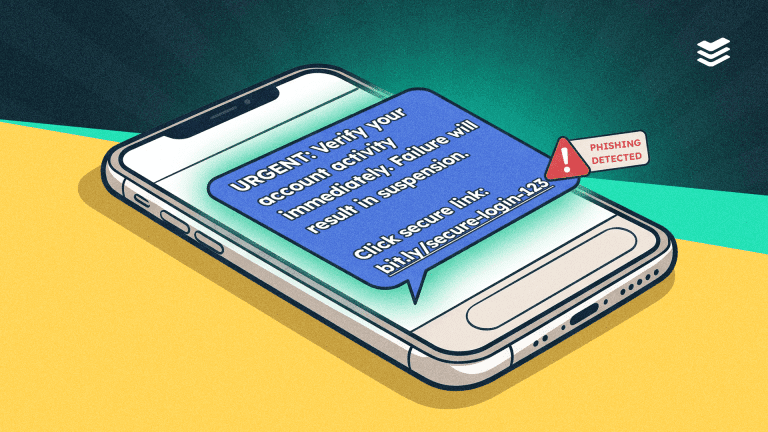
With cyber incidents ranked as the top global risk, it’s clear that cybersecurity is more than just an IT issue. As our reliance on mobile devices becomes greater, so does the need for robust mobile device security training. 

Not convinced? Here’s why you need to dial up your mobile device security awareness.

1. The growing reliance on mobile devices for work

Once considered an office taboo, 60% of organisations now expect their employees to use mobile devices to carry out work tasks. 

While the use of mobile devices for work improves productivity, it can be a risky business. Mobile devices are generally difficult to secure, and it’s equally challenging to control what employees do with them once they leave the office. They could connect to unsecured Wi-Fi on public transport, set simple passwords, or lose their devices. 

With mobile device security training, you can help employees understand the risks of using mobile devices for work and the best practices to follow.

Want to know more about the mobile-specific threats faced by small businesses like yours? Check out our latest research report.

2. The increase in mobile threats

Mobile devices are the fastest-growing point of entry for cyberattacks, according to Verizon. 

Why do they make such good targets? For one, they have fewer security measures in place. But mainly, it’s because of our behaviour. We tend to use mobile devices on the go, which means we’re distracted and in a hurry, causing us to overlook the telltale signs of cybercrime. 

Increasing mobile device security awareness highlights the social engineering tactics cybercriminals use to trick us, minimising complacency.

3. The proliferation of AI

AI has made its mark on every industry – and cybersecurity is no exception. Cybercriminals use generative AI to increase the scale and sophistication of their attacks. 

AI-enabled cyber threats include: 

  • Convincing, personalised phishing messages 
  • Sophisticated mobile malware, able to avoid detection 
  • Realistic deepfakes 

While AI can enhance cyber-attacks, it can also help detect and avoid them. Many businesses are investigating ways to integrate AI into their cybersecurity strategies. However, generative AI relies heavily on data inputs, so it’s essential to understand how to handle data responsibly to avoid privacy breaches.

4. The truth about human error

To err is human – and the data proves it. Human error is responsible for 85% of cyber breaches. Whether that’s because of hitting send on an email addressed to the wrong recipient, accidentally forwarding confidential information, or clicking on phishing links. 

Human error falls into two categories– skills-based error and decision-based error. 

Skills-based errors result from a lack of technical knowledge. For example, not enabling multi-factor authentication because you don’t know how. 

Decision-based errors occur when an individual makes a poor choice due to bad judgment or insufficient knowledge. For instance, choosing to postpone an update, believing it’s unnecessary to install it immediately.

Providing cybersecurity training and building a positive culture increases mobile device security awareness and reduces human error. 

5. The cost of breaches

Mobile device security training plays a key role in avoiding data breaches. According to the Allianz Risk Barometer, this is the most concerning type of cyberattack. We suspect that’s because of their severe financial ramifications. 

Over half of UK businesses have suffered a cyber-attack in the last five years, leading to a total revenue loss of £44 billion. In addition to the direct costs of a cyber-attack, the financial implications of downtime, legal fees, and lost revenue prove significant. Perhaps more challenging to recover from than financial loss is reputational loss. Among businesses that have experienced a cyber-attack, 47% report greater difficulty in attracting new customers, while 43% say they’ve lost existing customers.

6. The power of quick response

According to gov.uk 36% of medium and large organisations don’t have an incident response plan. This is worrying, considering that quick, decisive action minimises dwell time. 

Dwell time is the amount of time a cybercriminal has free access to a system – from suspected entry to detection. The longer you take to respond, the more opportunity there is to steal sensitive information, escalate privileges, and spread malware. 

Mobile device security training helps employees understand how to respond to breaches and gives them the confidence to flag anomalies. This reduces dwell time and lessens the impact of the attack.

7. The importance of staying compliant

Cybersecurity compliance is the measure of your regulations and standards that protect sensitive data and digital assets. These vary by industry, location, and organisation size. GDPR, HIPAA, and CPPA are some widely recognised regulations. 

Failure to meet relevant regulations can result in legal action, fines, and suspension of operations. For example, GDPR infringements could result in a fine of up to €20 million or 4% of your global annual revenue, whichever is higher. 

Not to mention that HIPAA and SOC 2 require companies to provide security awareness training to be compliant.

Don’t leave your colleagues to their own devices

One of the most valuable outcomes of mobile device security training is building a culture of cyber awareness. When employees understand risks and best practices, they become more security-conscious, and a security-conscious workforce is far less likely to fall victim to cyber-attacks.

Did you know 59% of SMEs provide no mobile cybersecurity training to staff? Find out why this is a problem and what to do about it in our SME Mobile Threat Report.


Mobile phishing: how to spot and stop attacks
Mobile devices are ubiquitous. But for all the good they do, their pervasiveness makes individuals and businesses more vulnerable to mobile phishing attacks. 

The rising tide of mobile phishing 

Cybercriminals have cottoned on to our growing reliance on mobile phones and unsurprisingly have shifted their focus from desktop to mobile. According to Zimperium, 82% of phishing sites now specifically target mobile devices. 

Mobile phishing is a type of cyber fraud that uses social engineering to get individuals to share sensitive information or click harmful links. These ‘mobile-first’ attacks have not only increased in volume but also in complexity, making them harder to spot.

Common types of mobile phishing attacks

  • Smshing: phishing campaigns that use SMS
  • Voice phishing: also known as vishing, this is when a cybercriminal impersonates a person or a business over the phone
  • Social media phishing: impersonating legitimate accounts and sending messages to solicit personal details
  • QR code phishing or quishing: malicious QR codes that redirect users to phishing websites

Want to know more about the mobile threats facing SMEs? Check out our latest research report.

Why mobile phishing is effective

The proliferation of smartphone use has undoubtedly contributed to the rise of mobile phishing, but it’s not the only reason for its rise in popularity.

Smaller screens, simplified interfaces, and hidden URLs make it difficult to identify the telltale signs of phishing. 

What’s more, users behave differently on smartphones versus desktops. Just think about how you casually check your mobile device in between tasks, waiting in queues, using public transport, or simply lounging around at home. There’s an inherent sense of complacency. Coupled with the pressure to respond quickly, you’re less likely to treat phishing attempts with the same scrutiny on mobile as you would on desktop. 

Generative AI is also playing a part in helping cybercriminals enhance their phishing attacks. These advanced language models enable hackers to create highly convincing messages without the characteristic grammar and spelling mistakes often found in phishing attempts. A Verizon report highlights the growing threat of AI, showing that 77% of respondents think AI-assisted attacks, including deepfakes and SMShing, are likely to succeed.

Bring your own device (BYOD) practices continue to pose a significant risk, even with the increase in return-to-work mandates. Data leakages, less control over device security, and compliance are just some of the challenges of BYOD, making it an appealing attack vector for phishing.

5 ways to identify a mobile phishing attempt  

Don’t take the bait. Here are some tips on recognising a mobile phishing attack.

1. Check the sender’s contact details 

Phishing attempts often come from addresses or domains that look similar to legitimate ones. Before taking action, double-check the email address, website, or number against the one you know. 

2. Look for basic mistakes

Generic greetings such as “Hello customer”, spelling mistakes and grammatical errors are clear signs that the message is not genuine. 

3. Slow down when there’s urgency 

“Act now”, “Claim your prize before it expires”, and other messages that pressure you to respond immediately should raise a red flag. 

4. Don’t open attachments 

Attachments that you weren’t expecting can contain malware. Verify what the attachment is with the sender and hover over it before opening. 

5. Trust your instincts

Be wary of messages requesting personal details, passwords, or banking information. If something seems too good to be true – like notifications about winning competitions or receiving refunds – it probably is.

How to protect yourself against mobile phishing attacks

Although mobile phishing attacks are becoming more complex, protecting yourself is simple. Here are some basic steps you can take.

Enable multi-factor authentication

Multi-factor authentication uses a secondary form of verification to enhance security. It ensures that even if a cybercriminal cracks your password, they won’t be able to access your account.

Run regular software updates

It’s tempting to select the ‘install later’ option when an update notification pops up, but it’s important to let updates run as soon as they’re available to patch any security vulnerabilities.

Review app permissions

Only grant permissions essential for an app's functionality. Assess whether the app truly needs access to your microphone, camera, contacts, location, or other features.

Install mobile security software

Antivirus and anti-phishing apps provide real-time protection for your device. Better still, you could use a threat detection app to tie it all together. However, before you install any apps make sure you’re using a trusted source – like an official app store.

Always check the source 

The best way to check the legitimacy of a message is to contact the sender directly using their known contact information. If it’s a website, type the domain into your browser instead of clicking the link. If it’s a colleague or friend, message them on their usual number or email address.

Stay informed

Mobile phishing tactics change all the time. Check out other articles on our blog to stay up to date with all the latest cybersecurity trends.

Don’t get reeled in

If mobile phishing shows us one thing, it’s that cybercriminals are constantly evolving. As phishing attacks become more sophisticated, your best defence is to question and double-check everything. Adopting proactive measures, practising good cyber hygiene, and staying alert will keep you one step ahead.

Did you know 59% of SMEs provide no mobile cybersecurity training to staff? Find out why this is a problem and what to do about it in our SME Mobile Threat Report.